[OCI] OKE Cluster 구축(5) - Sample 파드, 서비스 배포
[OCI] OKE Cluster 구축(5) - Sample 파드, 서비스 배포
1. manifest 환경 구성
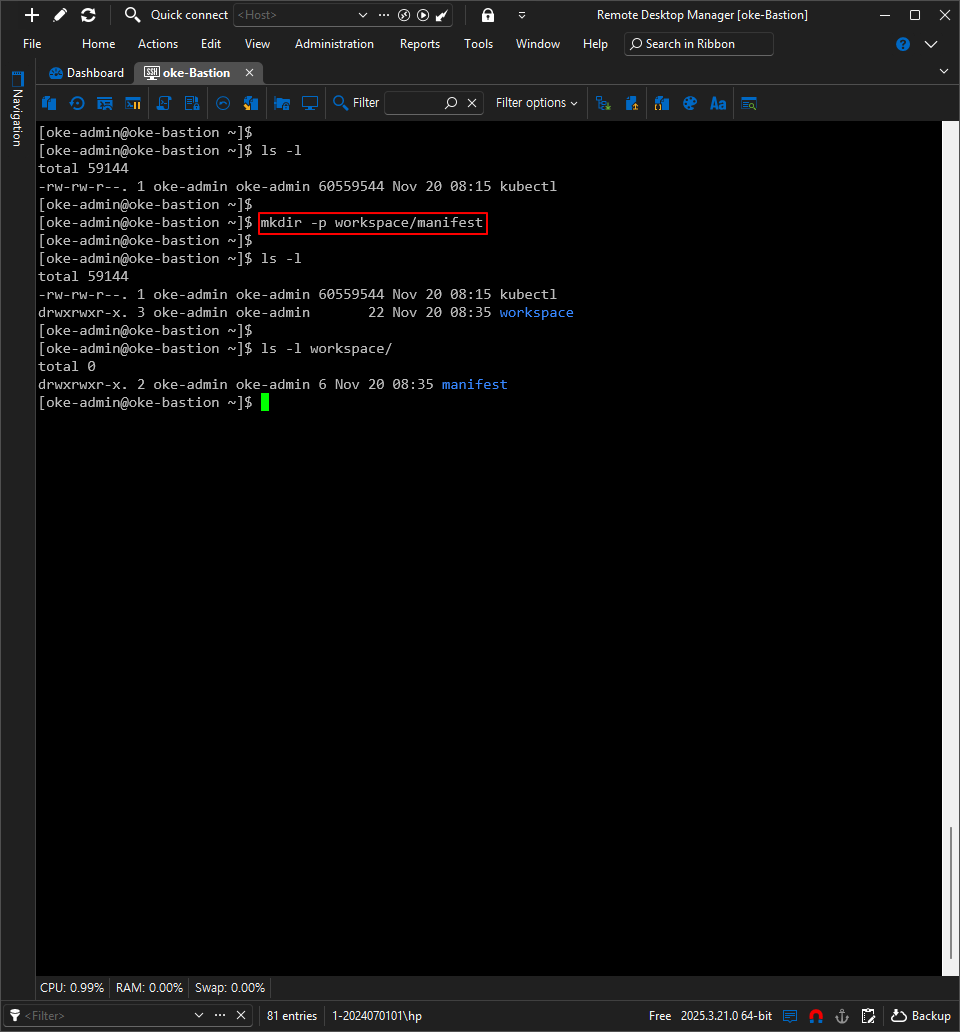
1.1. 디렉터리 생성
1
[oke-admin@oke-bastion ~]$ mkdir workspace/manifest
1.2. Sample Pods - nginx
1.2.1. yaml 파일
1
2
3
4
5
6
7
8
9
10
11
12
13
14
15
16
17
18
19
20
21
22
[oke-admin@oke-bastion manifest]$ vi nginx-deploy-sample.yaml
apiVersion: apps/v1
kind: Deployment
metadata:
  name: nginx-deploy-sample
  labels:
    app: nginx-sample
spec:
  replicas: 2
  selector:
    matchLabels:
      app: nginx-sample
  template:
    metadata:
      labels:
        app: nginx-sample
    spec:
      containers:
      - name: nginx
        image: docker.io/library/nginx:latest
        ports:
        - containerPort: 80
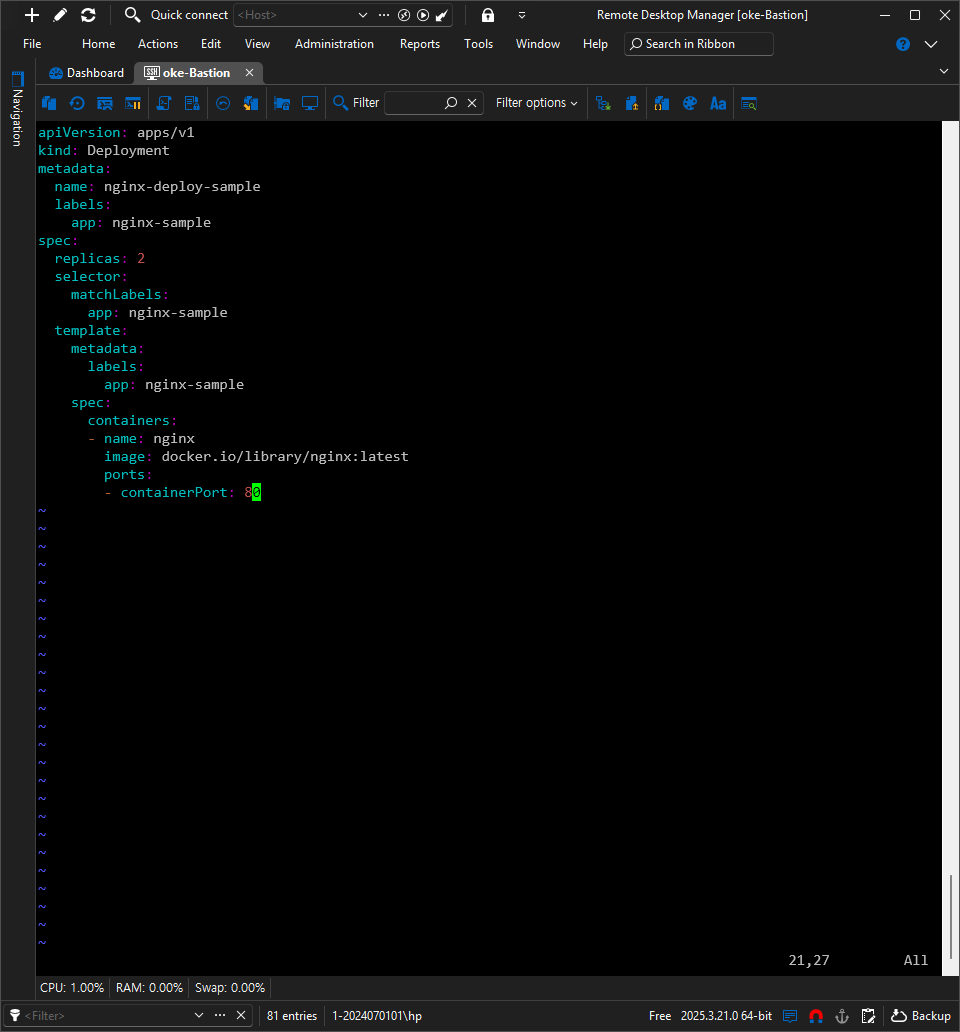
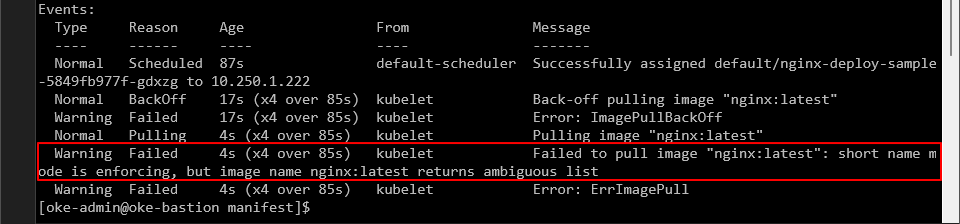
이미지 경로
- Kubernetes v1.34 버전 이전
- short_name_mode 기본 설정 : disabled 또는 permissive 모드
짧은 이미지 이름 허용
- nginx:latest 와 같이 레지스트리를 명시하지 않아도 자동으로 Docker Hub(docker.io)에서 이미지를 Pulling 가능
- 개발자들의 간단한 이미지 이름 작성으로 배포가 수월했지만, 보안 취약점으로 지목되어 변경 추진
- Kubernetes v1.34 버전 이후
- short_name_mode 기본 설정 : enforcing 모드
완전한 이미지 경로 요구 (모호하면 ErrImagePull 에러 발생)
- docker.io/library/nginx:latest 와 같이 레지스트리 경로를 모두 입력해야 이미지 Pulling 가능
- 보안 강화(이미지 소스 경로를 명확히 하여 악의적인 이미지 Pulling 방지)
1.3. Sample Service - LB
1.3.1. Reserved IP 할당
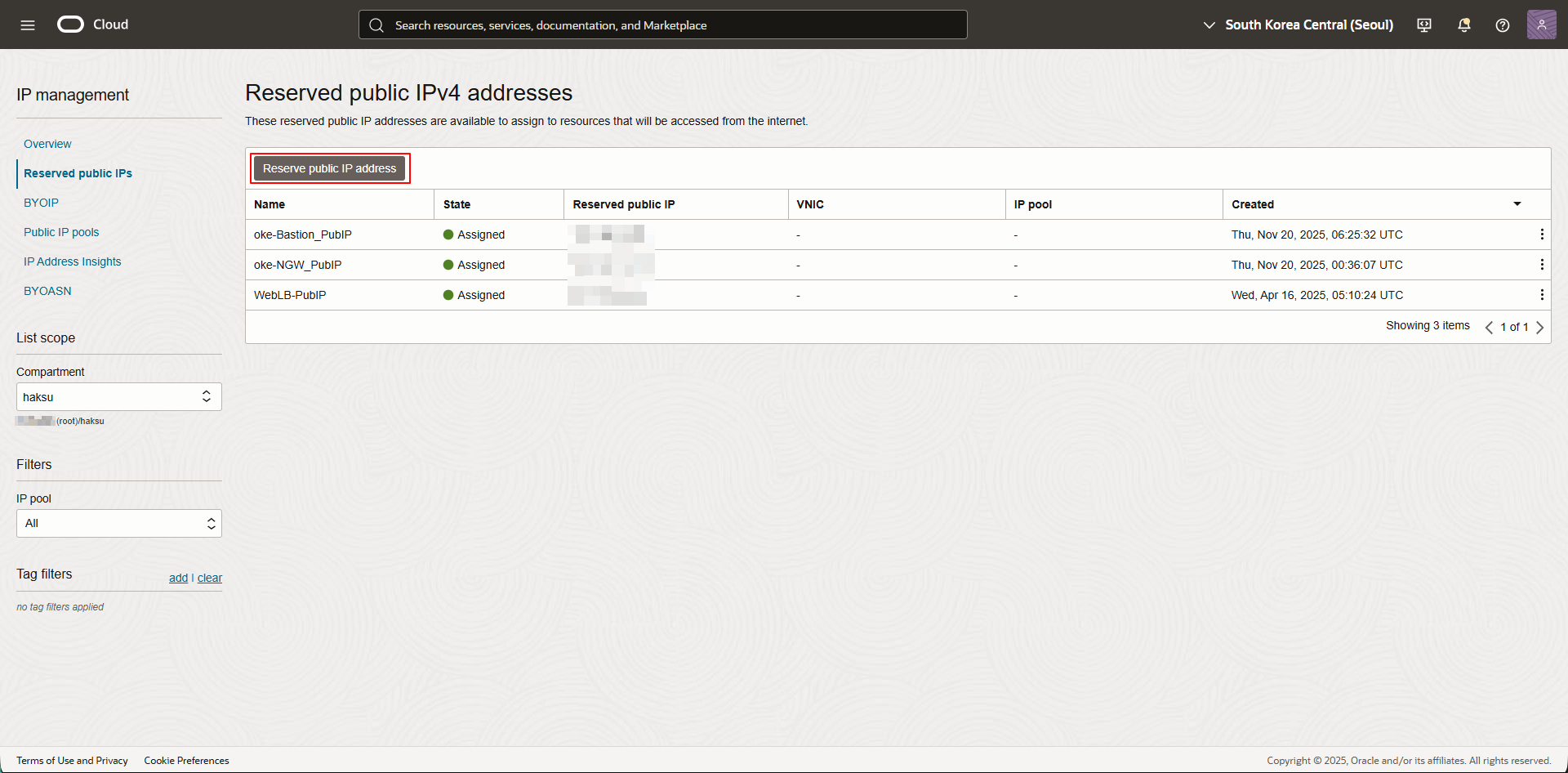
내비게이션 메뉴 → [Networking → IP management → Reserved public IPs] 선택
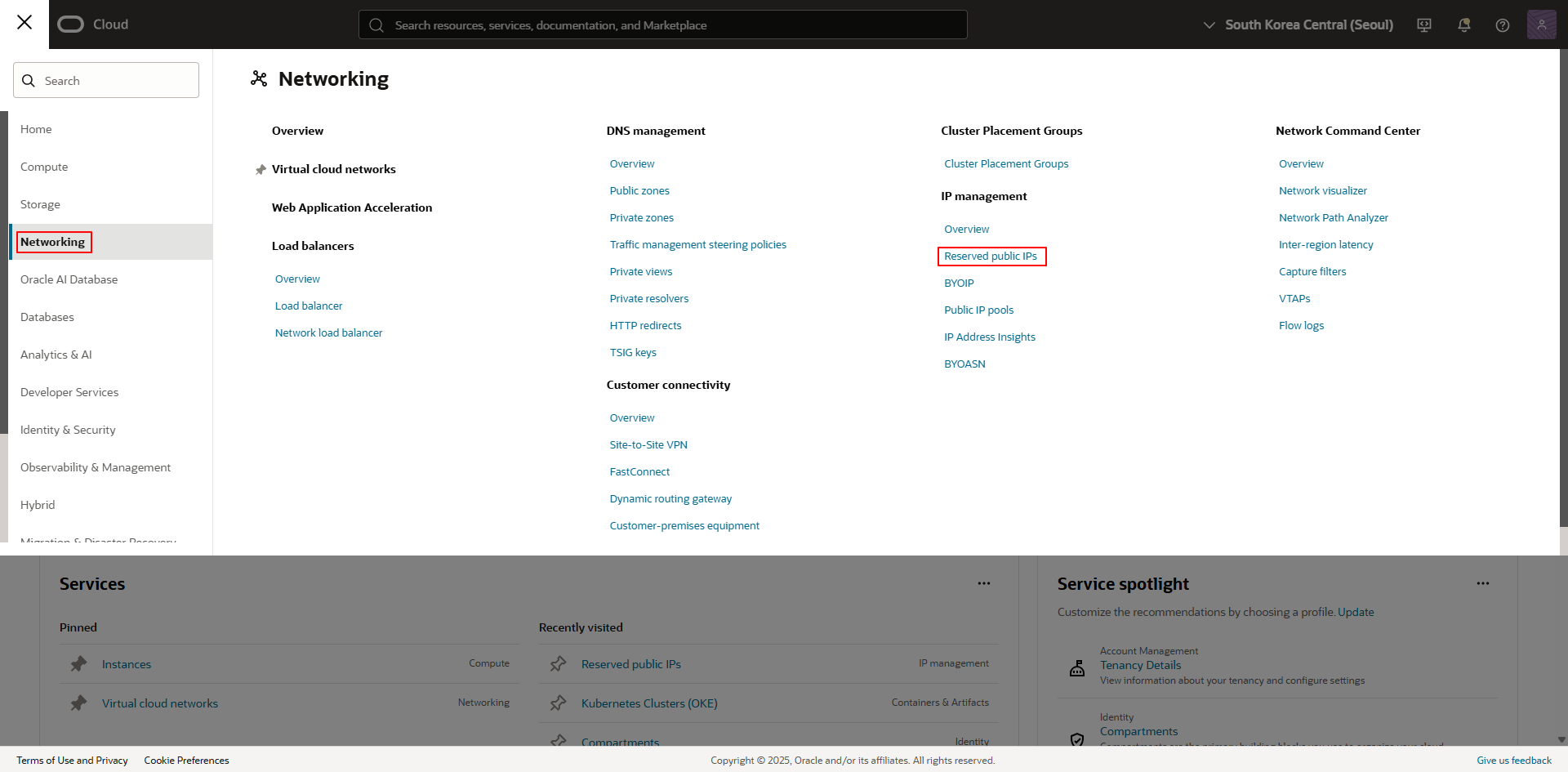
Reserve public IP address 선택
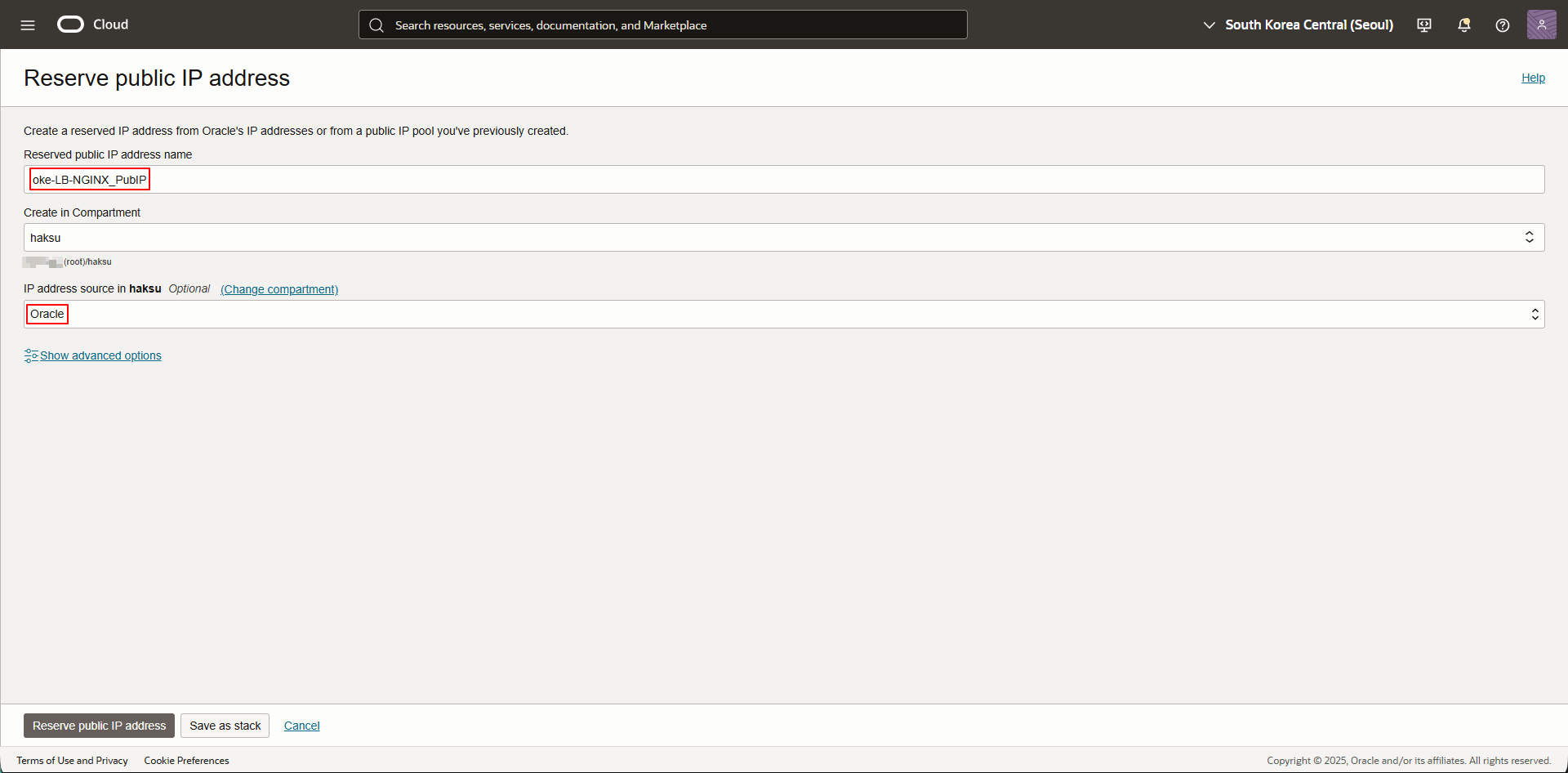
- Reserved public IP address name : <적절한 이름 입력>
- IP address source in <Compartment> : Oracle 선택
1.3.2. yaml 파일
1
2
3
4
5
6
7
8
9
10
11
12
13
14
15
16
17
18
19
20
21
22
[oke-admin@oke-bastion manifest ~]$ vi nginx-lb-sample.yaml

apiVersion: v1
kind: Service
metadata:
  name: nginx-lb-sample
  labels:
    app: nginx
  annotations:
    oci.oraclecloud.com/load-balancer-type: "lb"
    service.beta.kubernetes.io/oci-load-balancer-shape: "flexible"
    service.beta.kubernetes.io/oci-load-balancer-shape-flex-min: "10"
    service.beta.kubernetes.io/oci-load-balancer-shape-flex-max: "10"
    service.beta.kubernetes.io/oci-load-balancer-backend-protocol: "HTTP"
    service.beta.kubernetes.io/oci-load-balancer-subnet1: "<LB Subnet OCID>"    # LB가 생성될 서브넷
spec:
  type: LoadBalancer
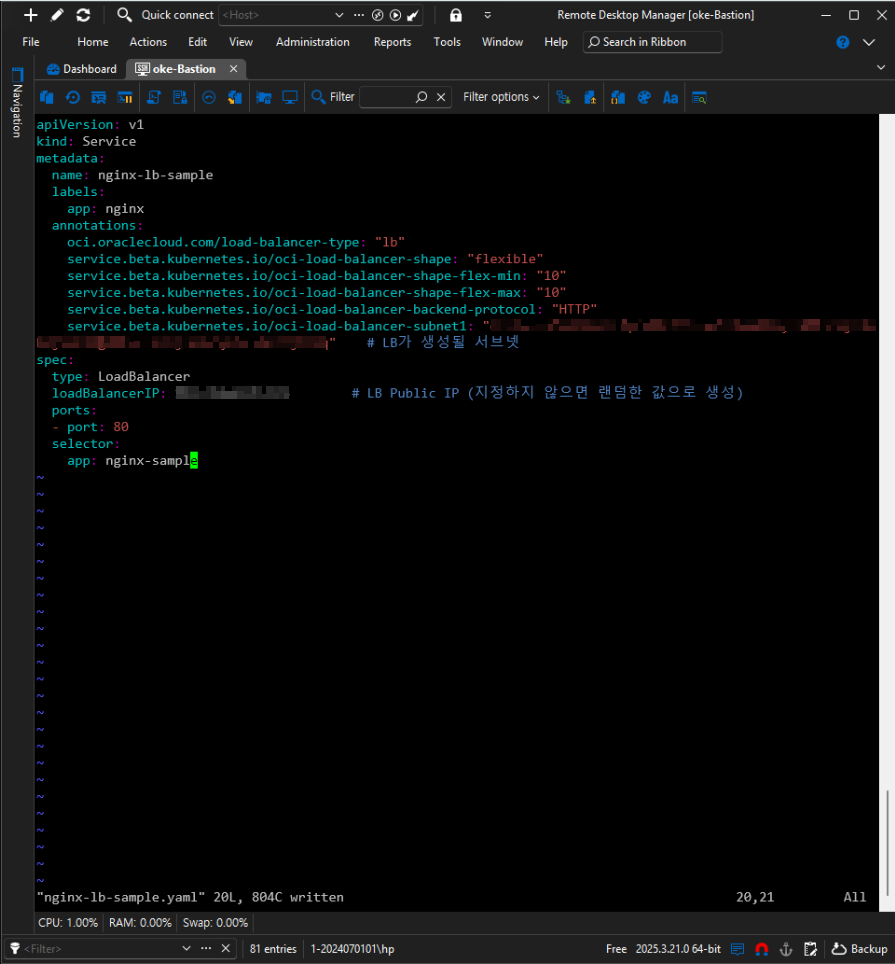
  loadBalancerIP: <위에서 할당받은 Reserved IP>        # LB Public IP (지정하지 않으면 랜덤한 값으로 생성)
  ports:
  - port: 80
  selector:
    app: nginx-sample
2. Sample 파드, 서비스 배포
2.1. 배포
1
2
3
4
5
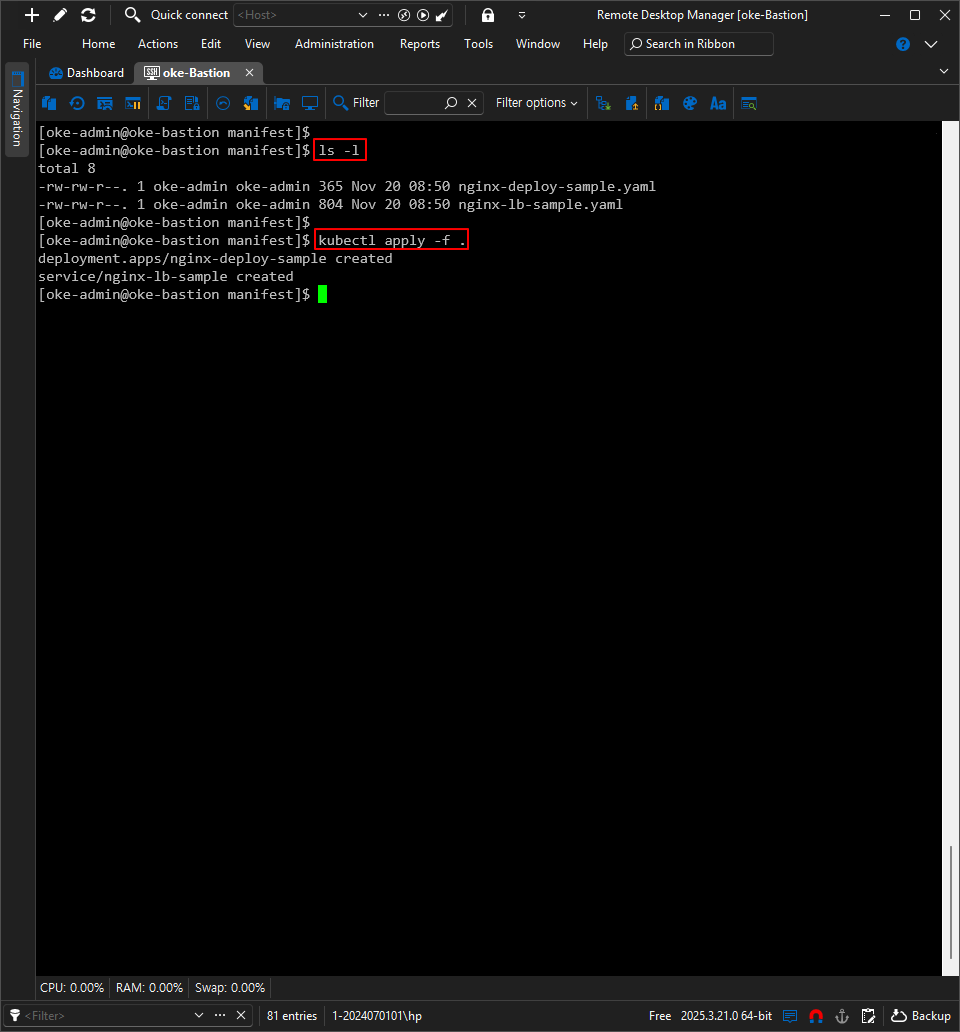
## yaml 파일 확인
[oke-admin@oke-bastion manifest]$ ls -l

## 현재 디렉터리의 존재하는 yaml 파일 배포
[oke-admin@oke-bastion manifest]$ kubectl apply -f .
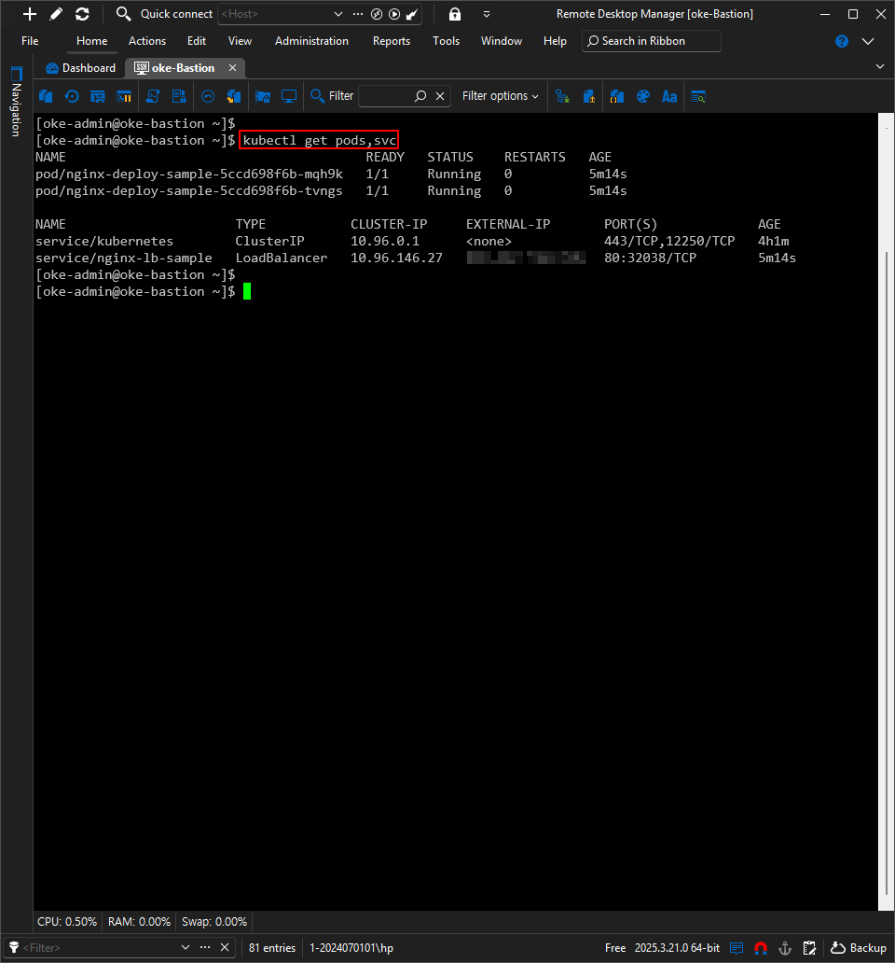
2.2. 배포 확인
1
[oke-admin@oke-bastion manifest]$ kubectl get pods,svc
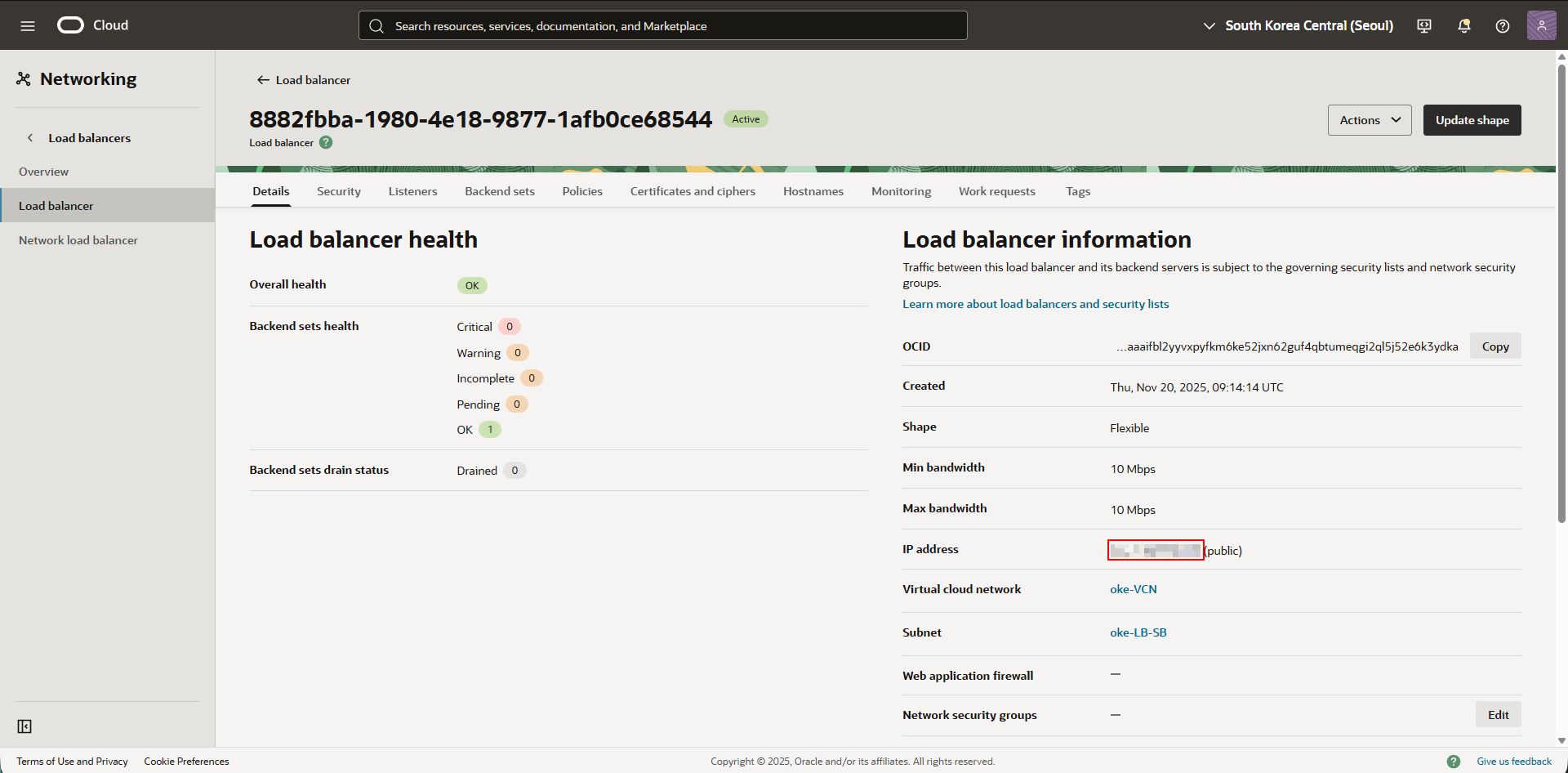
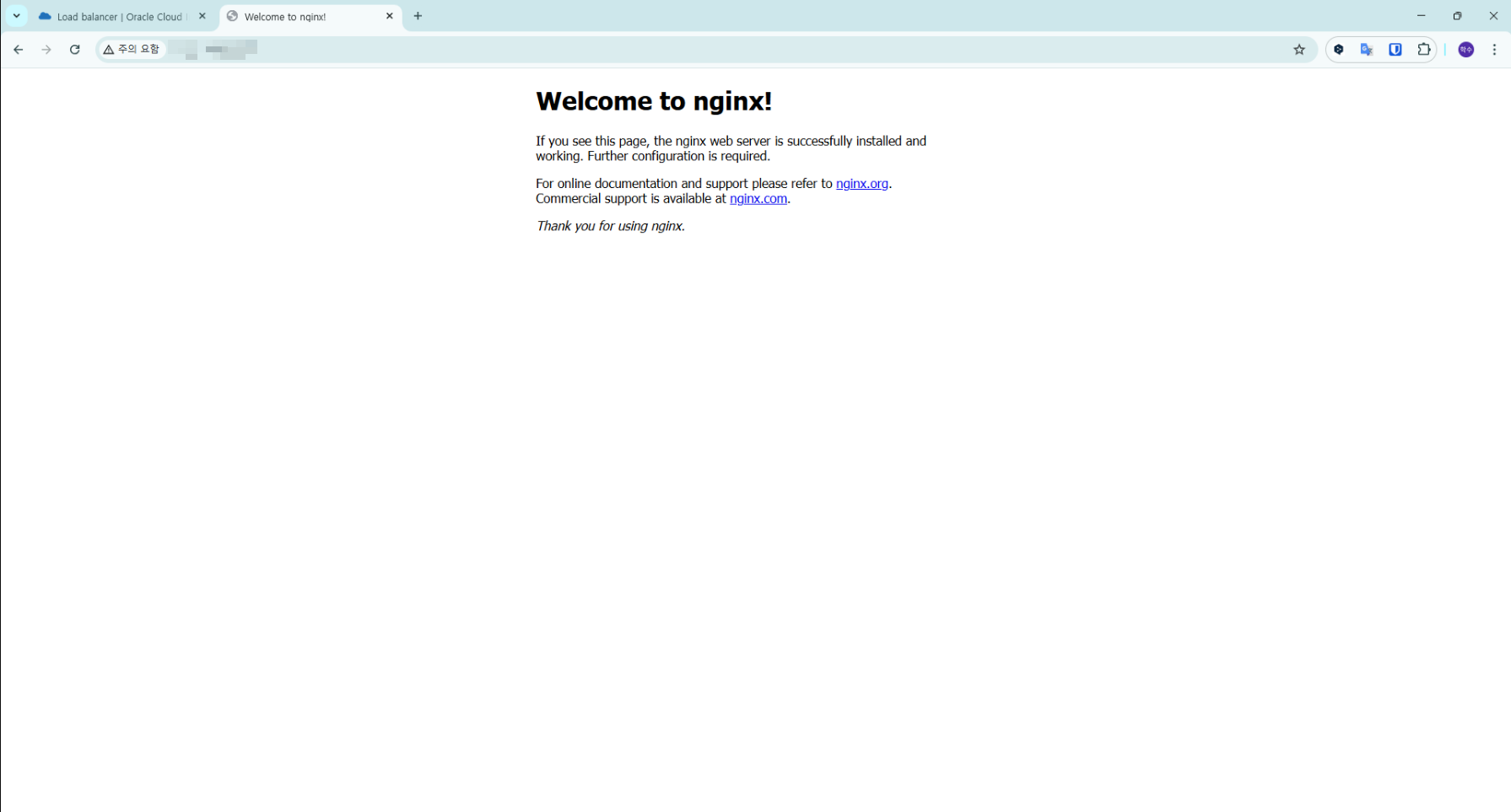
2.3. 서비스 확인
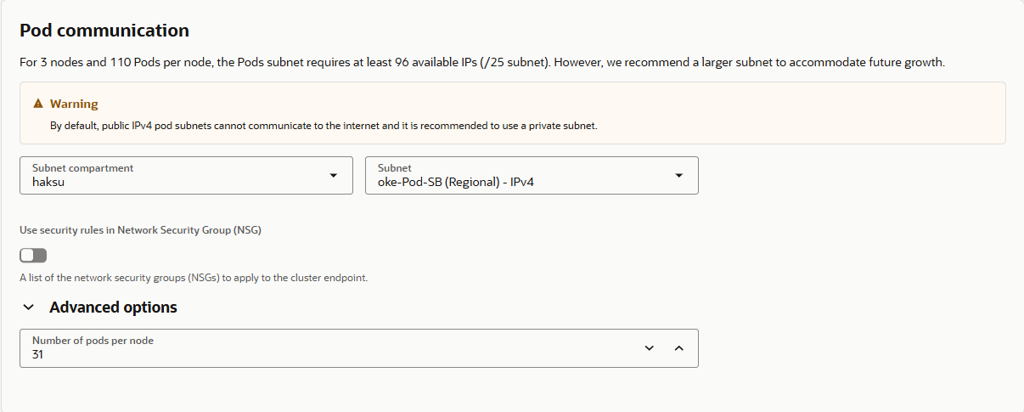
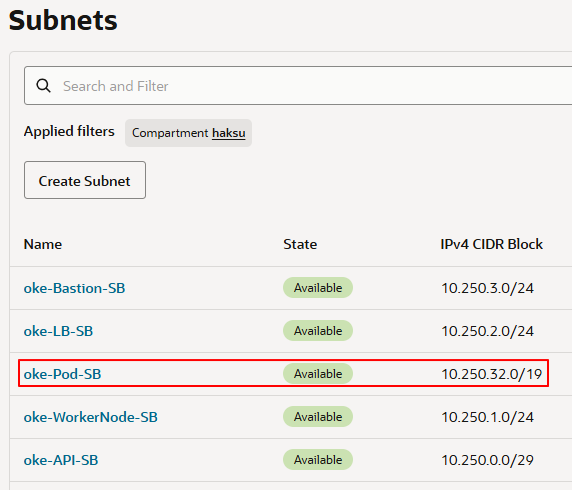
별도 Pods 서브넷을 통해 생성되는 Pods의 IP 제어 가능
Cluster 생성 시, VCN-Native Pods Networking CNI 선택하는 경우 아래와 같은 Pod communication 항목 설정 필요
(Flennel 선택 시 아래 항목 표시되지 않음)해당 Pods Subnet 대역 내 랜덤한 IP 부여

This post is licensed under CC BY 4.0 by the author.