[OCI] OKE Cluster 구축(4) - 접속 환경 설정
[OCI] OKE Cluster 구축(4) - 접속 환경 설정
1. Bastion 서버 생성
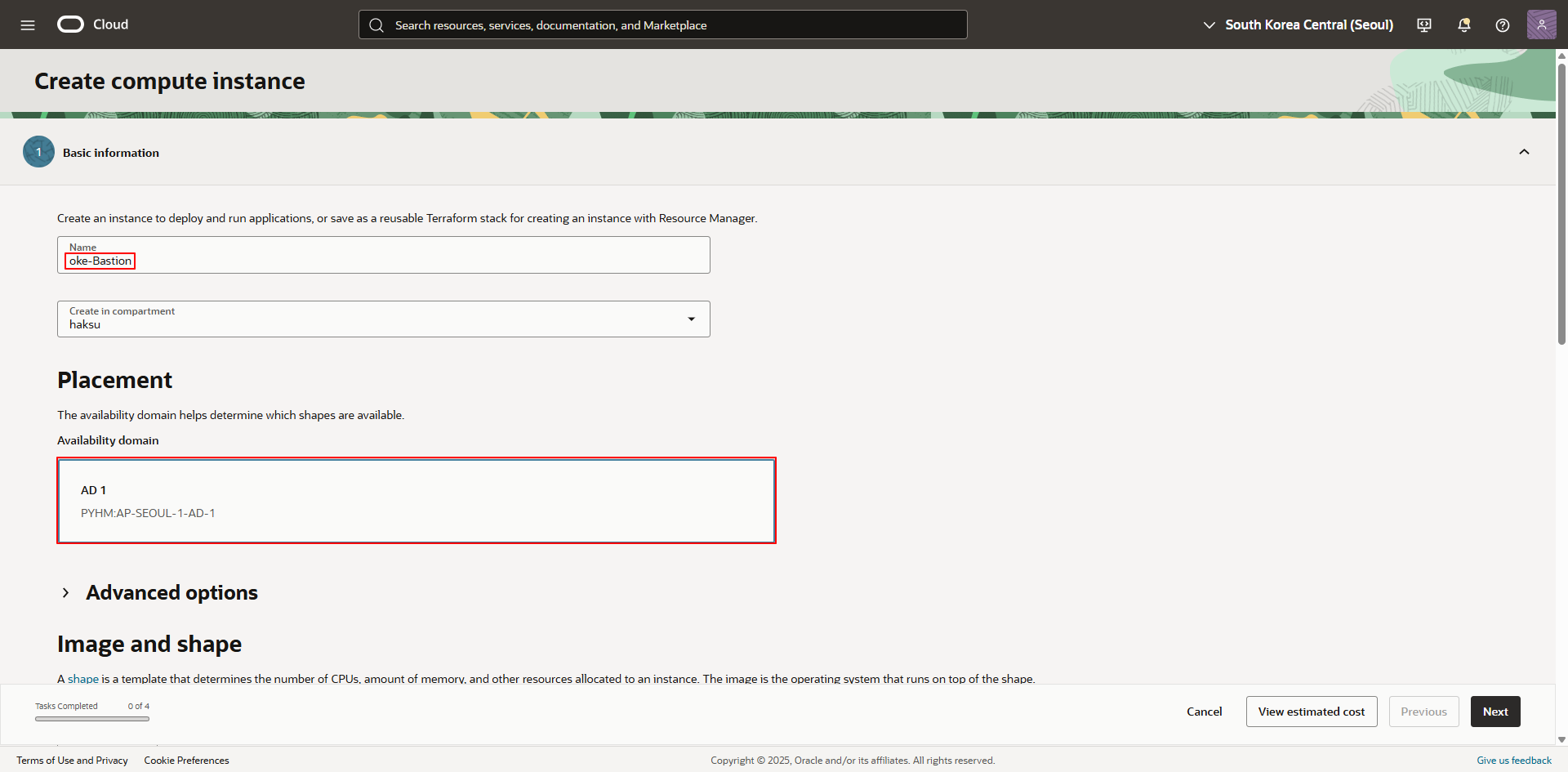
1.1. Basic information
- Name : <적절한 이름 입력>
Availability domain : <사용 중인 AD 선택>
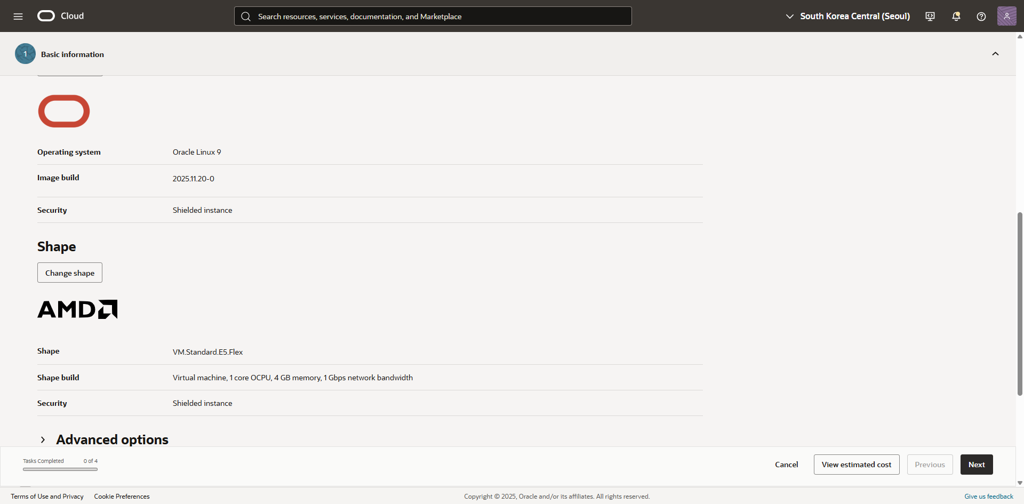
- Image and shape
- Image : 이용하려는 이미지 선택 (여기서는 Oracle Linux 9 이용)
- Shape : <적절한 Shape 및 OCPU, Memory 선택>OCI22_01.png
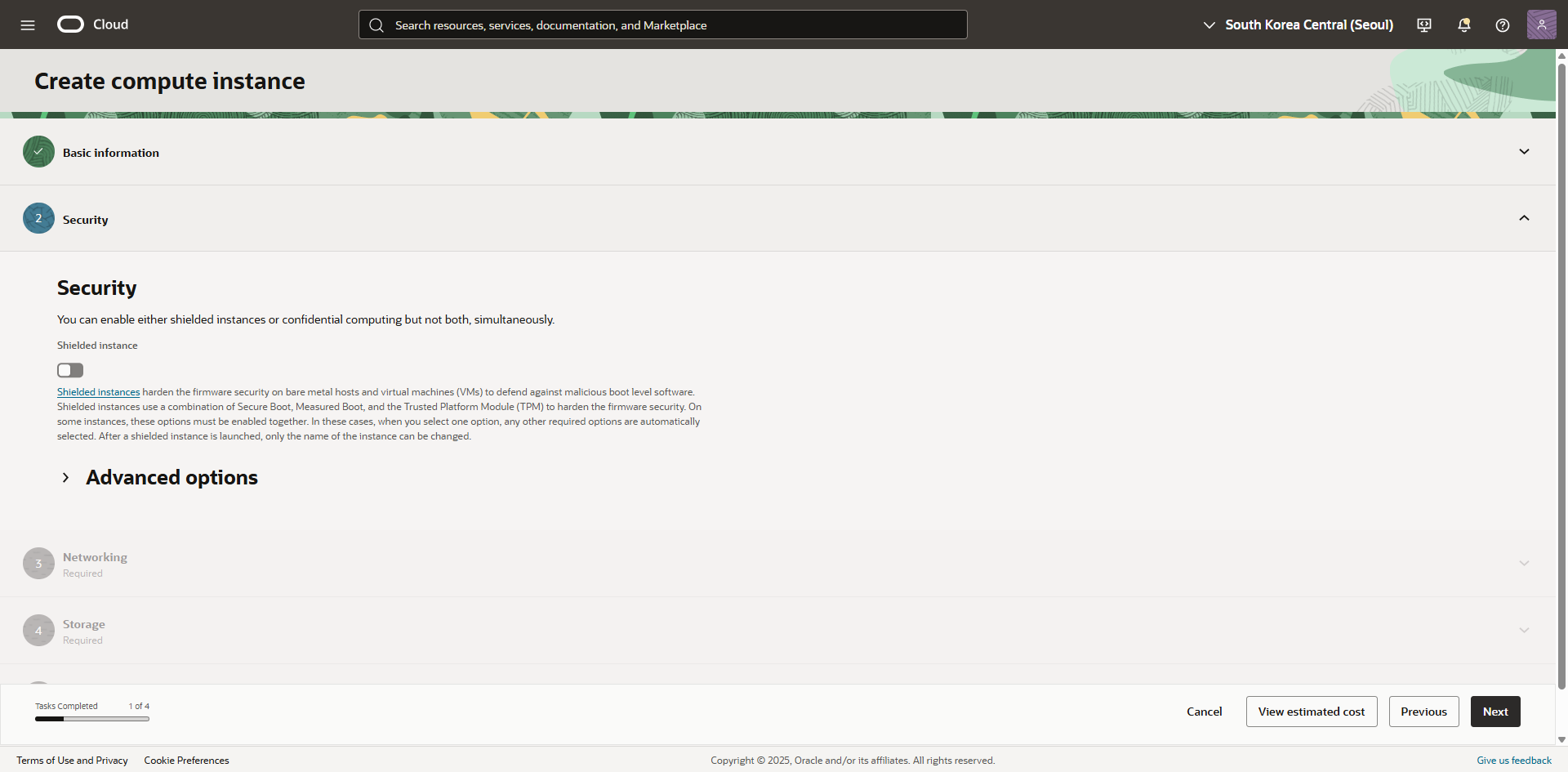
1.2. Security
- Shielded Instance : 체크 해제 (기본 값)
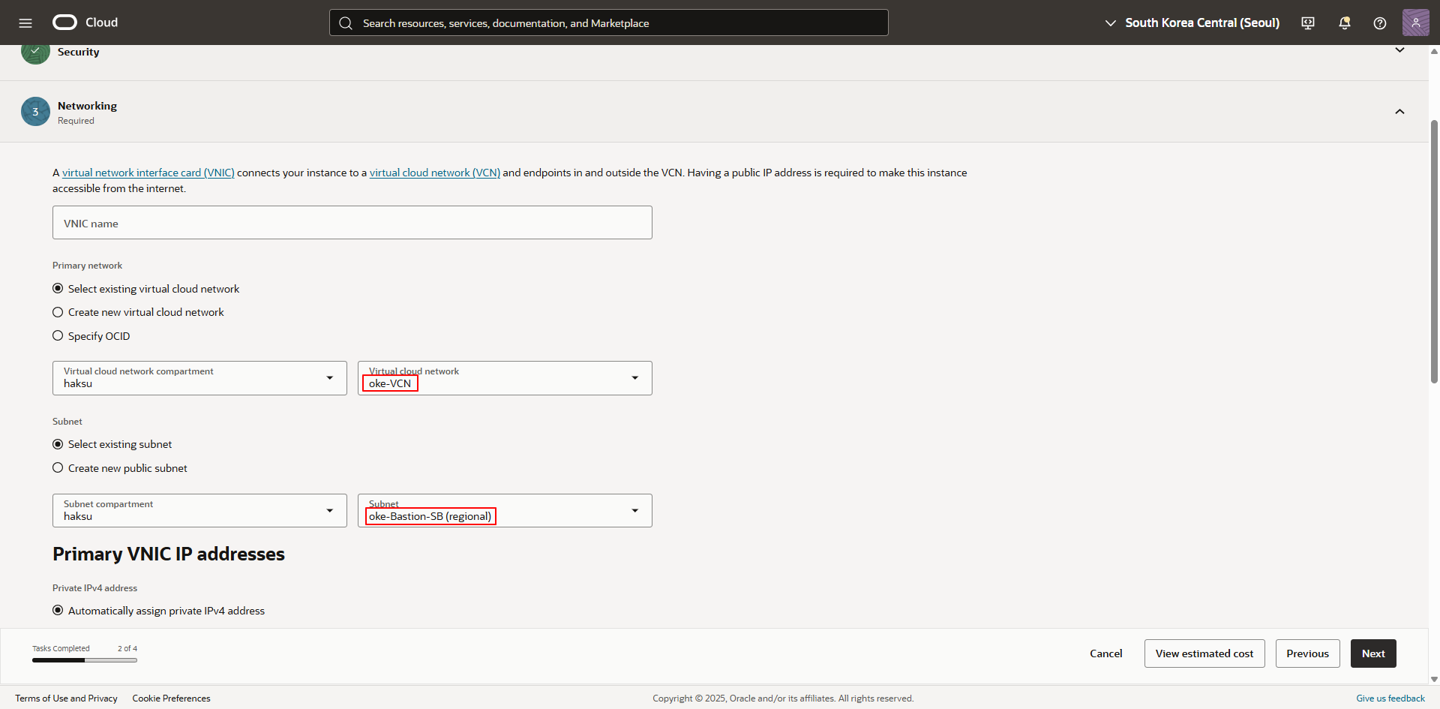
1.3. Networking
- Primary network
- Virtual cloud network : <이전 가이드에서 생성한 VCN 선택>
- Subnet : <이전 가이드에서 생성한 Bastion용 서브넷 선택>
- Primary VNIC IP addresses
- Private IPv4 address : <Private IP의 수동 지정이 필요한 경우 Manually assign private IPv4 address 선택>
- Automatically assign public IPv4 address : 체크 해제
(Reserved IP로 고정해 두는 것이 바람직함, 추후 VNIC 설정에서 Reserved IP 할당 가능)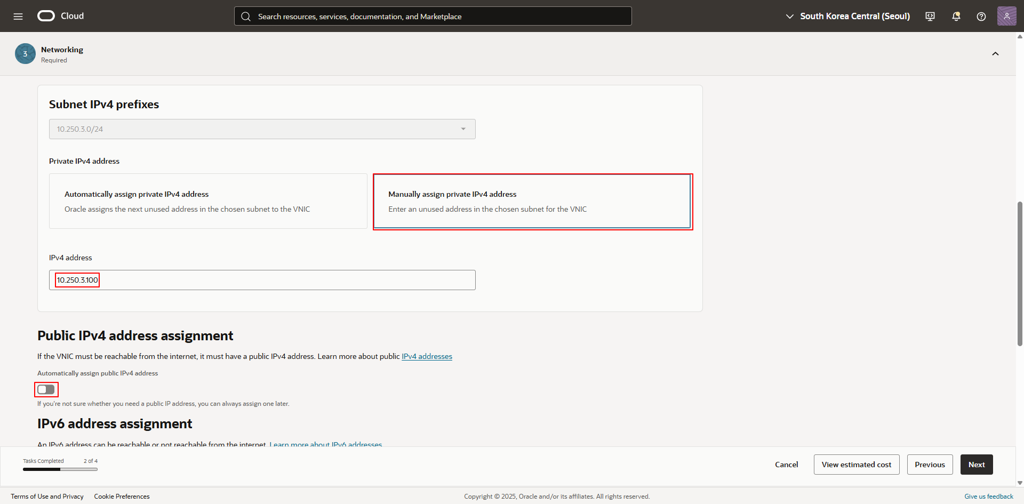
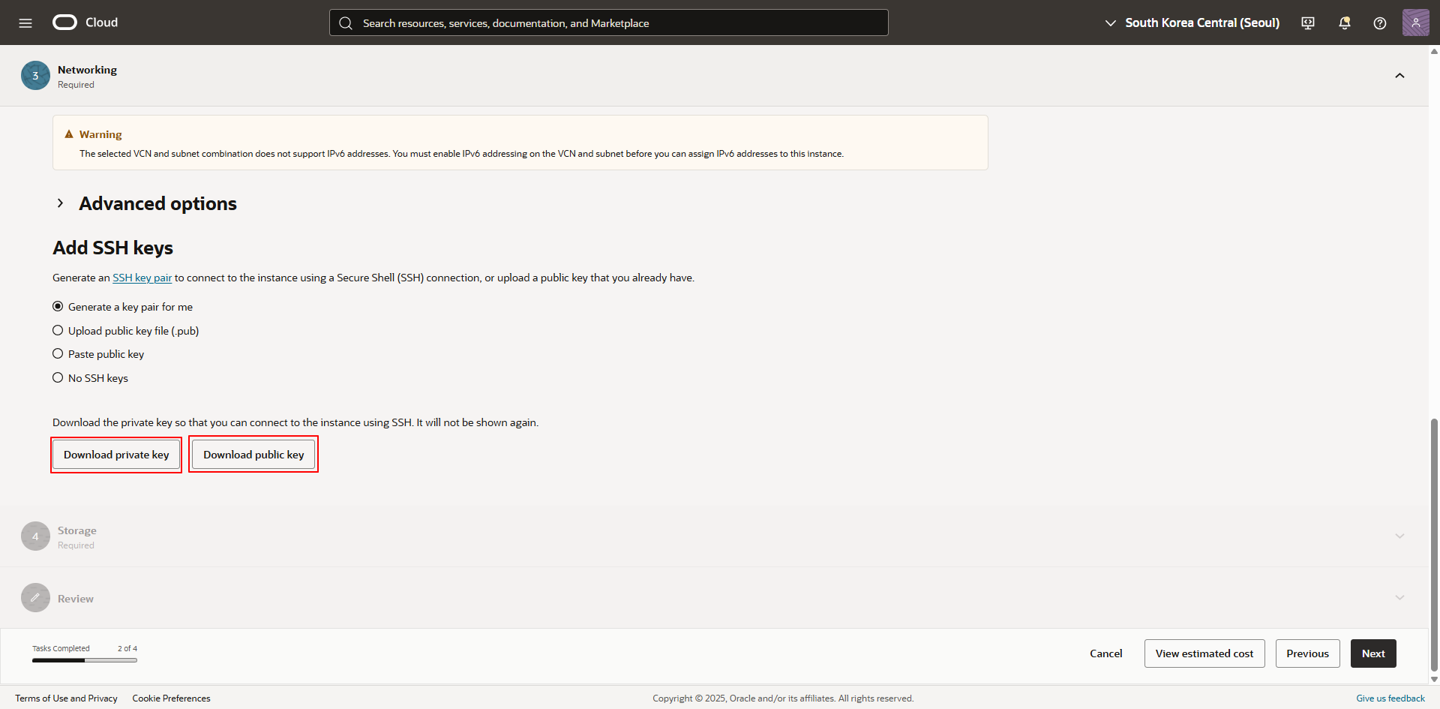
- Add SSH keys
- Generate a key pair for me 선택
- Private key, Public key 다운
1.4. Storage
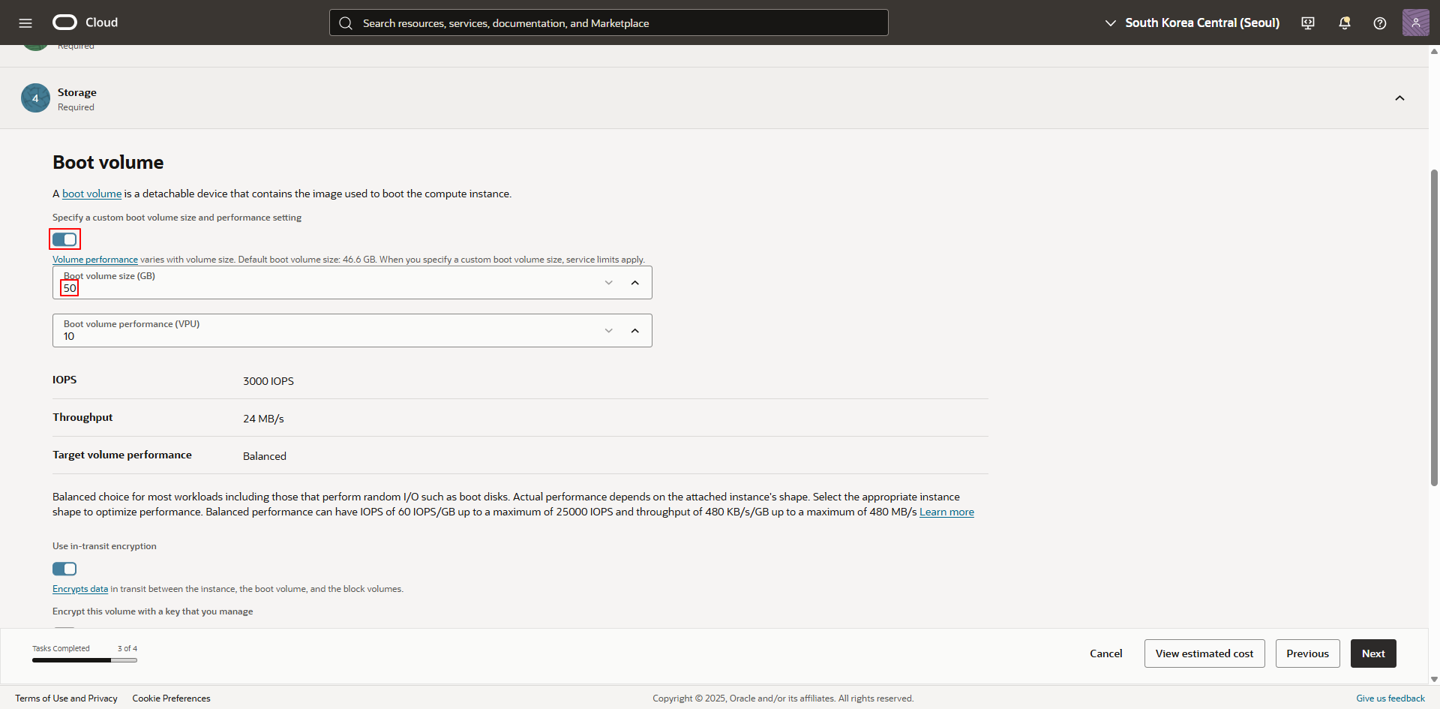
- Boot volume
- Specify a custom boot volume size 체크
- Boot volume size : 50 GB (기본 값 : 46.6 GB)
2. Kubernetes 관리자용 유저 생성
2.1. 유저 생성
1
2
3
4
5
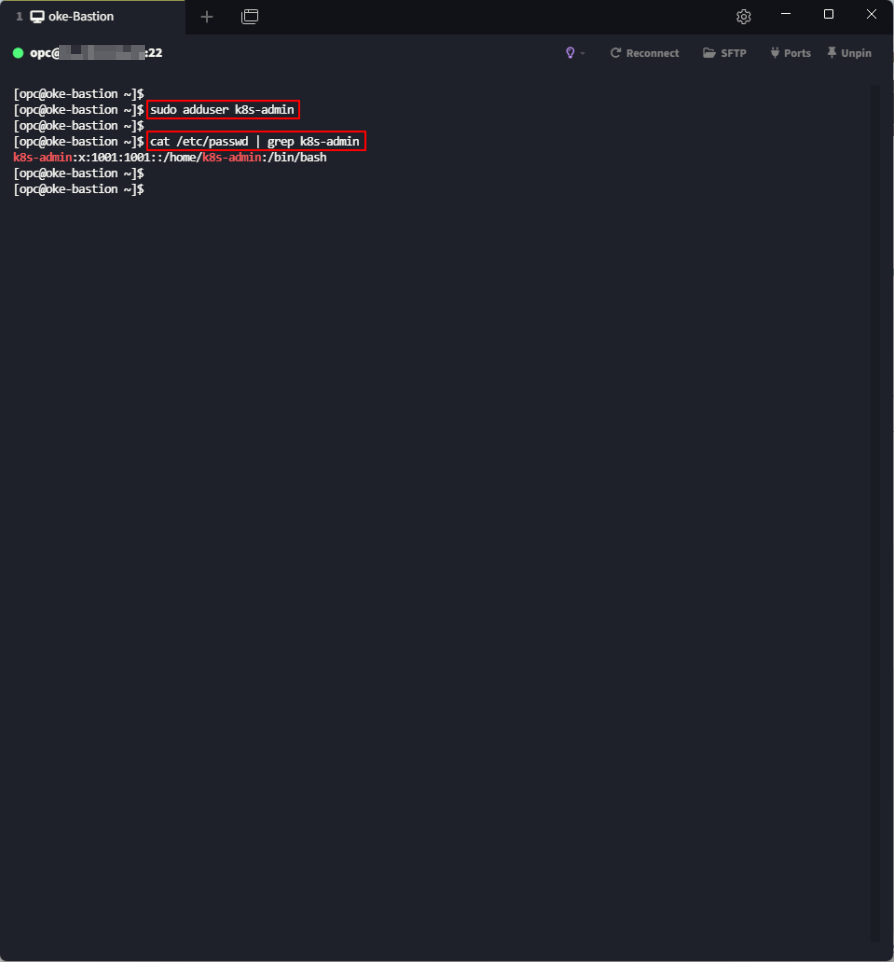
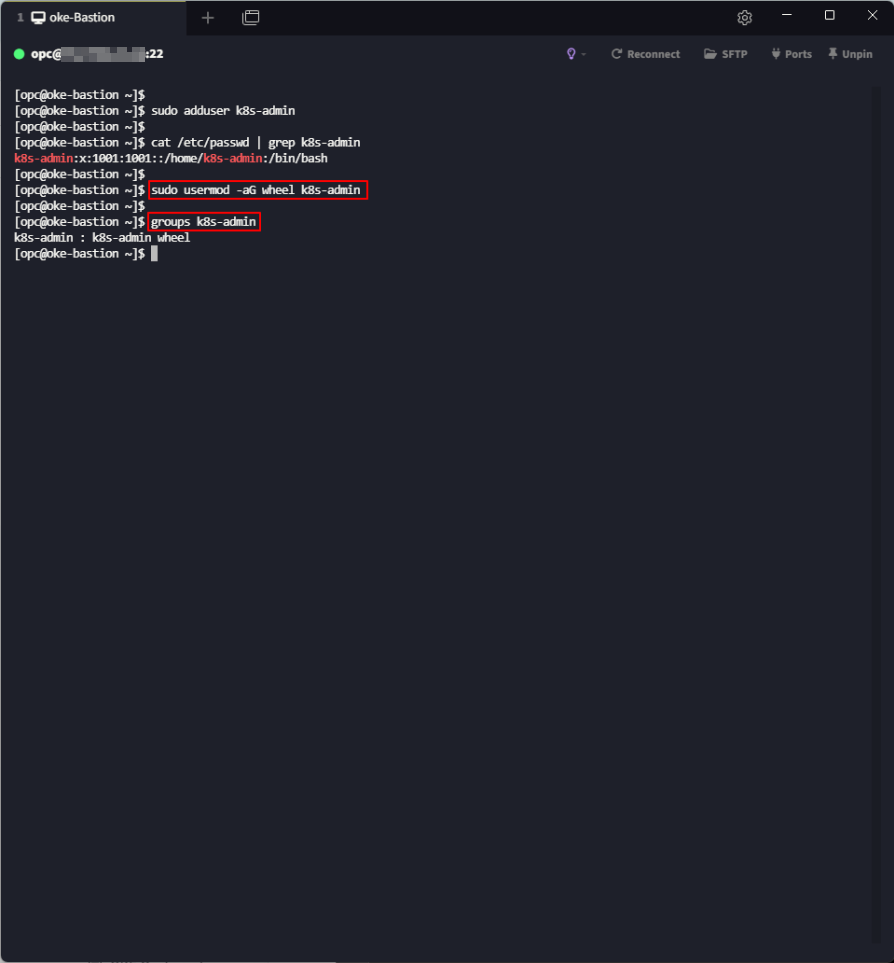
## 유저 생성
[opc@oke-bastion]$ sudo adduser k8s-admin

## 확인
[opc@oke-bastion]$ cat /etc/passwd | grep k8s-admin
2.2. sudo 권한 부여
1
2
3
4
5
## wheel 그룹에 k8s-admin 추가
[opc@oke-bastion ~]$ sudo usermod -aG wheel k8s-admin

## k8s-admin 유저가 속한 그룹 확인
[opc@oke-bastion ~]$ groups k8s-admin
2.3. sudo 수행 시 NOPASSWORD 설정
1
2
3
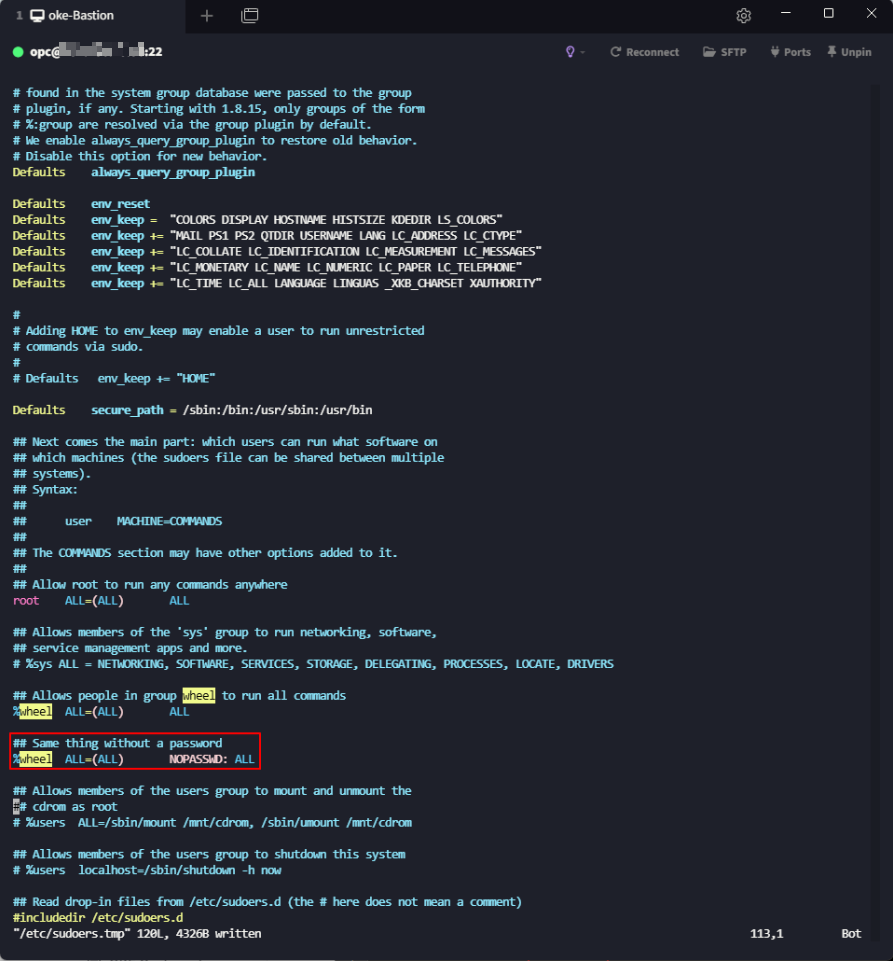
## /etc/sudoers 파일에서 NOPASSWD 항목 wheel 그룹 활성화
[opc@oke-bastion ~]$ sudo visudo
%wheel  ALL=(ALL) NOPASSWD: ALL
2.4. k8s-admin 유저 초기 패스워드 설정
1
2
3
4
5
6
7
8
9
10
11
12
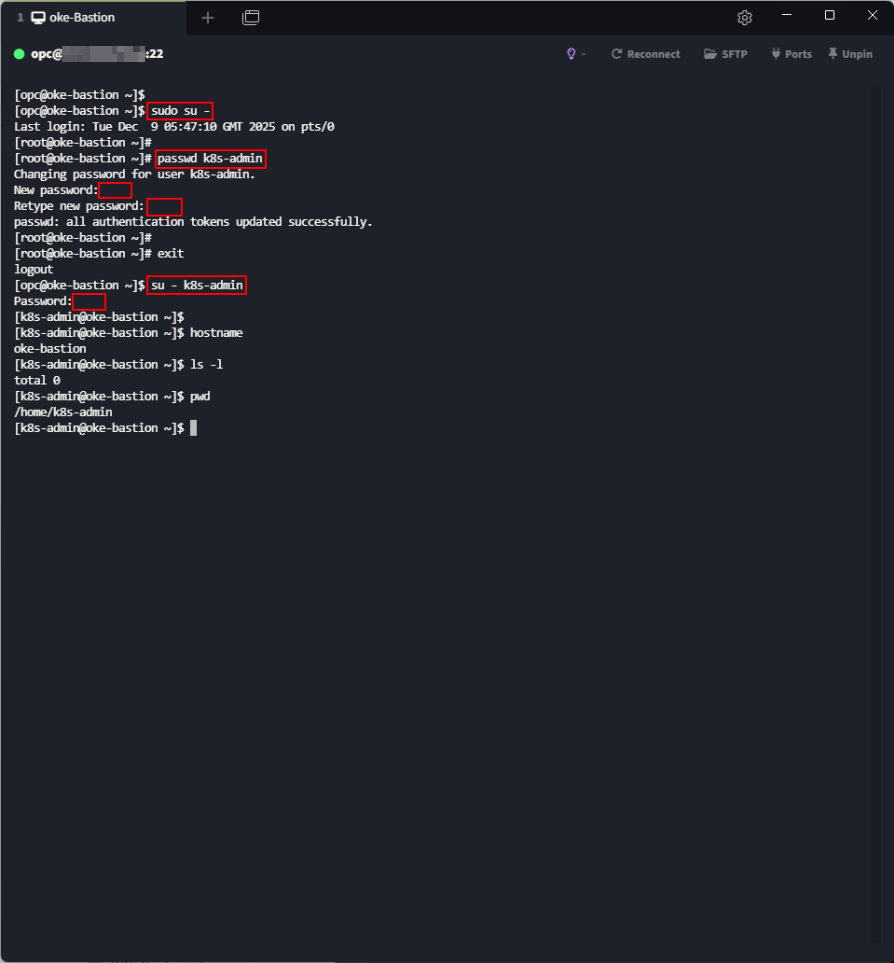
## root 계정 전환
[opc@oke-bastion ~]$ sudo su -

## k8s-admin 유저 패스워드 변경
[root@oke-bastion ~]# passwd k8s-admin
New password: <K8s123!@#>
Retype new password: <K8s123!@#>

## k8s-admin 접속 확인
[root@oke-bastion ~]# exit
[opc@oke-bastion ~]$ su - k8s-admin
Password: <K8s123!@#>
3. OCI CLI
3.1. OCI CLI 설치
1
2
3
4
5
6
7
8
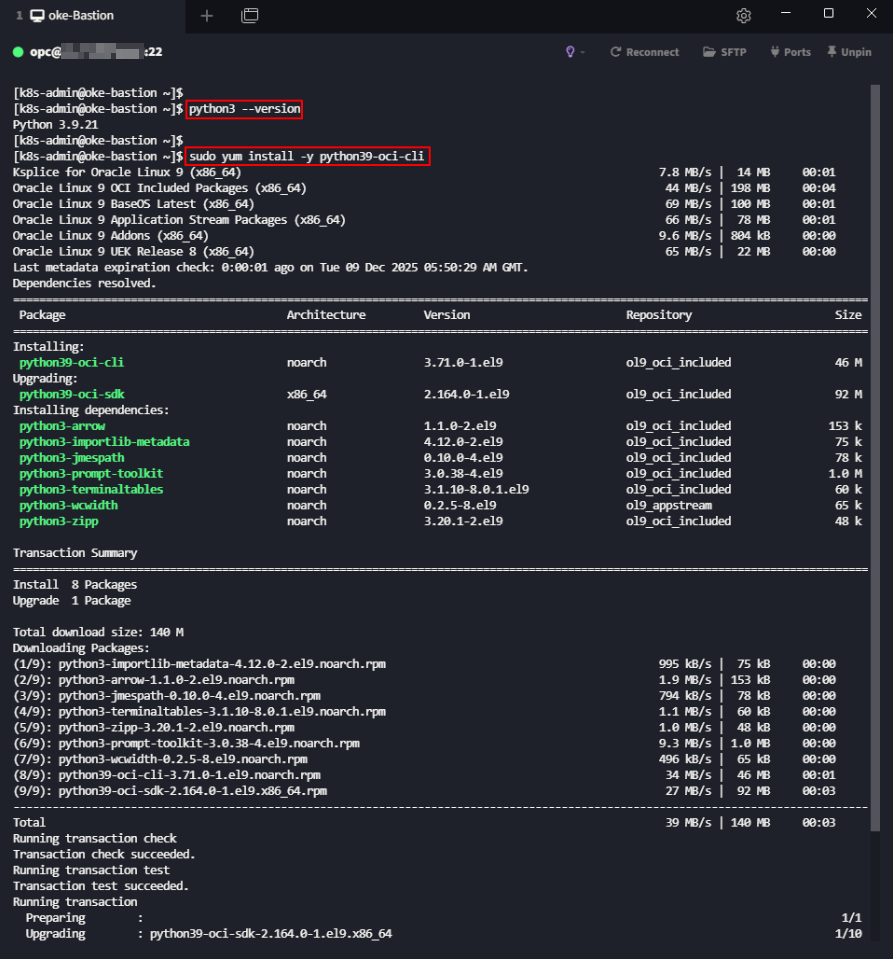
## oke-admin 유저 전환
[opc@oke-bastion ~]$ su - k8s-admin

## 설치된 Python 버전 확인
[k8s-admin@oke-bastion ~]# python3 --version

## Python 버전에 맞는 OCI CLI 설치
[k8s-admin@oke-bastion ~]$ sudo yum install -y python39-oci-cli
3.2 OCI CLI 접속 정보 설정 (API Key 생성)
1
2
3
4
5
6
7
8
9
10
11
12
13
14
15
16
[k8s-admin@oke-bastion ~]$ oci setup config
Enter a location for your config [/home/k8s-admin/.oci/config]: <Enter 입력>
Enter a user OCID: <User OCID 입력>
Enter a tenancy OCID: <Tenancy OCID 입력>
Enter a region by index or name(e.g.
1: af-johannesburg-1, 2: ap-chiyoda-1, 3: ap-chuncheon-1, 4: ap-chuncheon-2, 5: ap-dcc-canberra-1,
6: ap-dcc-gazipur-1, 7: ap-hyderabad-1, 8: ap-ibaraki-1, 9: ap-melbourne-1, 10: ap-mumbai-1,
11: ap-osaka-1, 12: ap-seoul-1, 13: ap-seoul-2, 14: ap-singapore-1, 15: ap-singapore-2,
...
71: us-sanjose-1, 72: us-somerset-1, 73: us-thames-1): ap-seoul-1
Do you want to generate a new API Signing RSA key pair? (If you decline you will be asked to supply the path to an existing key.) [Y/n]: Y
Enter a directory for your keys to be created [/home/k8s-admin/.oci]: <Enter 입력>
Enter a name for your key [oci_api_key]: <Enter 입력>
Public key written to: /home/k8s-admin/.oci/oci_api_key_public.pem
Enter a passphrase for your private key ("N/A" for no passphrase): <N/A 입력>
Repeat for confirmation: <N/A 입력>
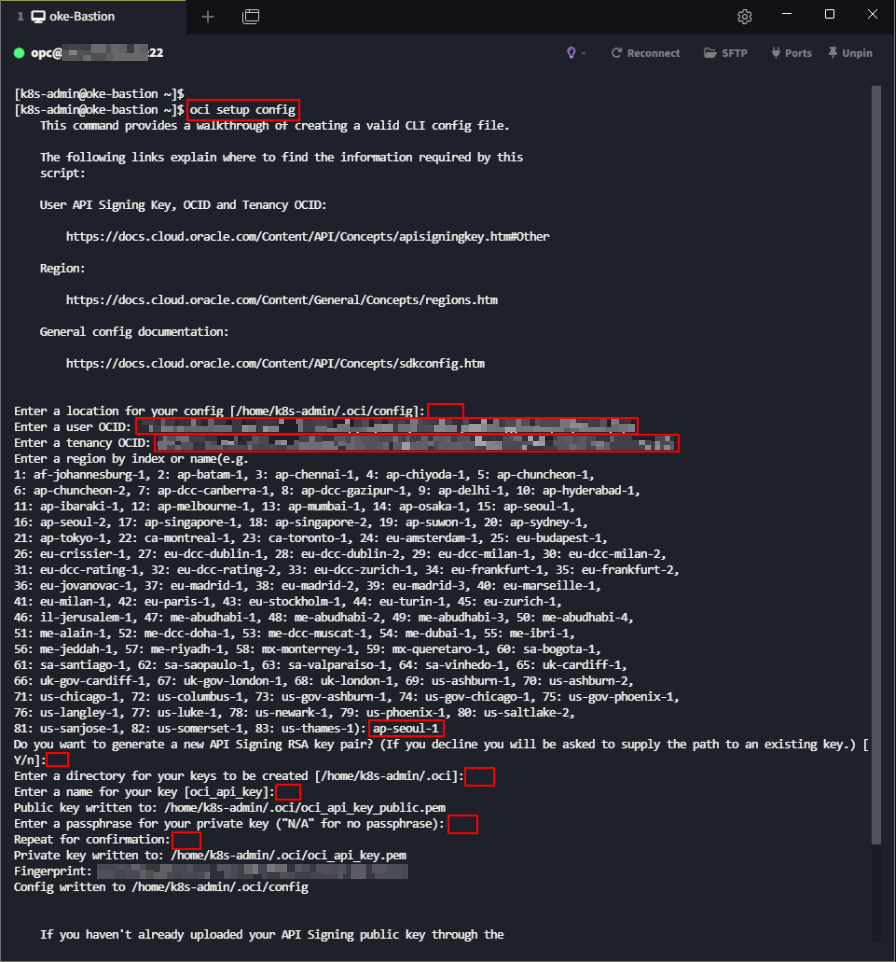
User OCID 확인
- 테넌시 우측 상단 Profile → 계정명 or User setting 클릭
- User information → OCID 복사
Tenancy OCID 확인
- 테넌시 우측 상단 Profile → 테넌시: <테넌시명> 클릭
- Tenancy information → OCID 복사
3.3. OCI Console API Key 등록
생성한 API Key 확인
1
2
3
4
5
 ## API Key가 생성된 경로로 이동
 [k8s-admin@oke-bastion ~]# cd .oci

 ## API Public Key 복사
 [k8s-admin@oke-bastion .oci]# cat oci_api_key_public.pem
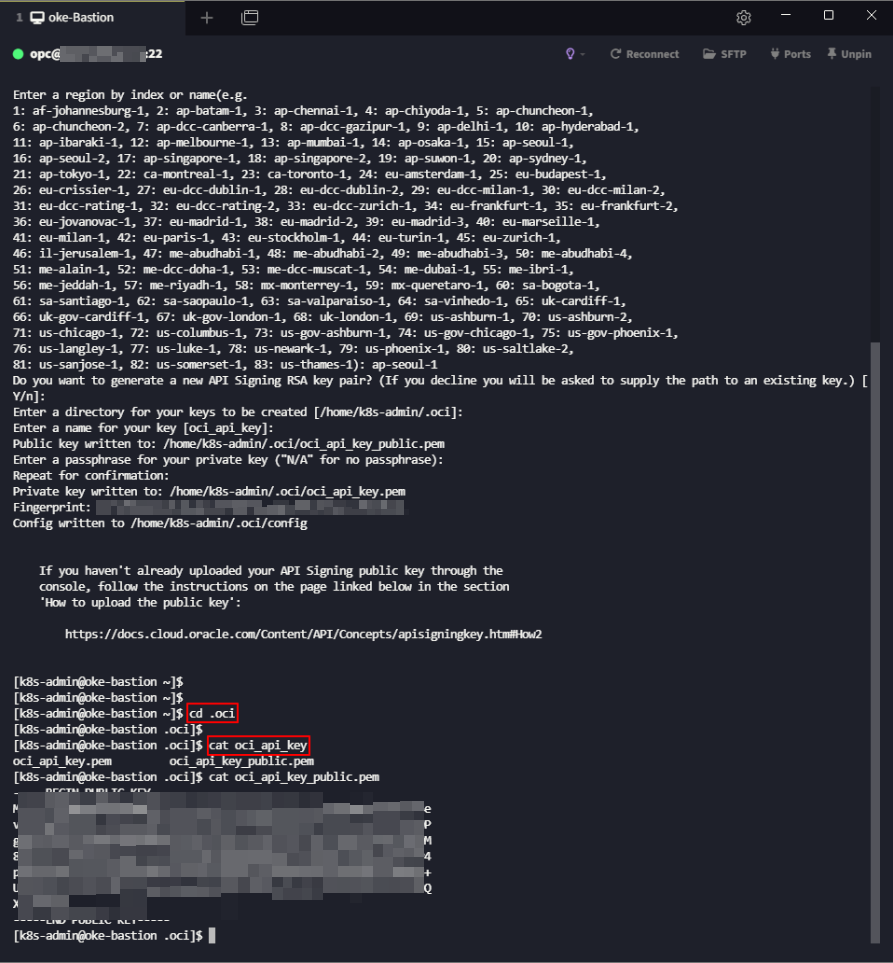
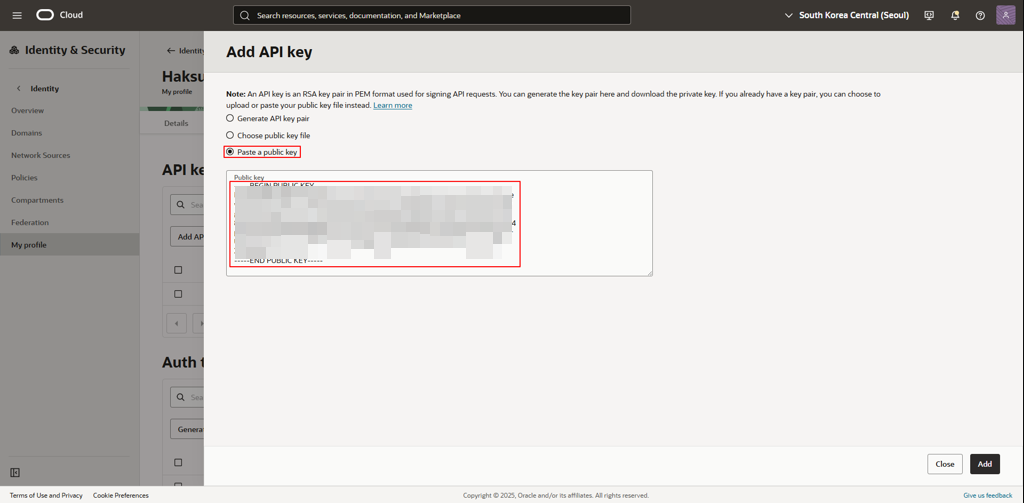
- 우측 상단 Profile → <계정명> 클릭
- 좌측 하단 Resources → API keys
Paste a public key 선택 → 복사한 API Public key 붙여넣기
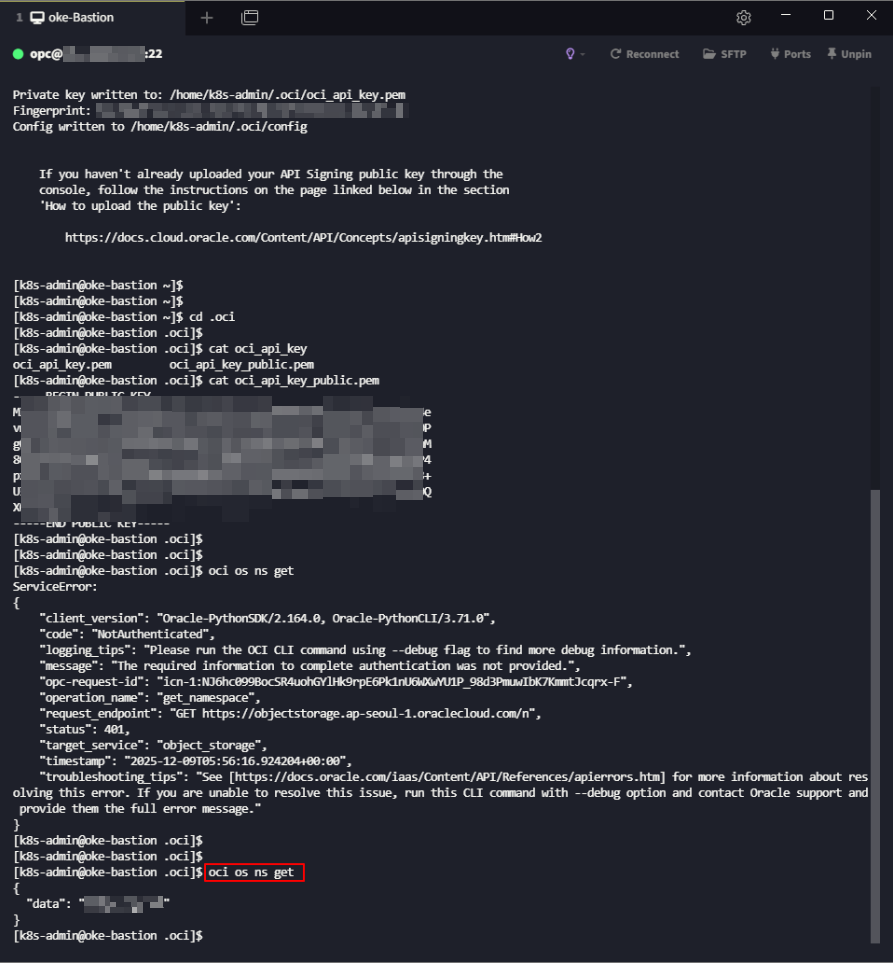
API 연동 확인
1
2
 ## 테넌시의 Object Storage namespace 출력
 [k8s-admin@oke-bastion .oci]# oci os ns get
4. kubectl
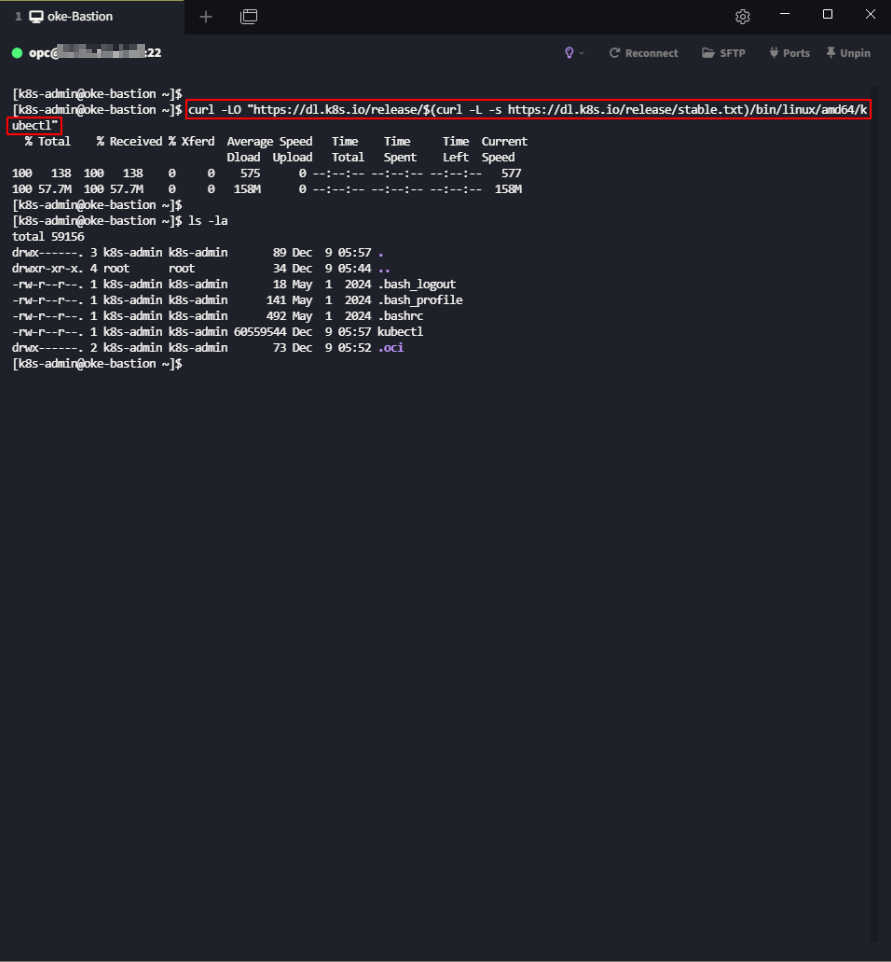
4.1. kubectl 바이너리 파일 다운
1
[k8s-admin@oke-bastion ~]$ curl -LO "https://dl.k8s.io/release/$(curl -L -s https://dl.k8s.io/release/stable.txt)/bin/linux/amd64/kubectl"
4.2. kubectl 설치
1
2
3
4
5
## kubectl 설치
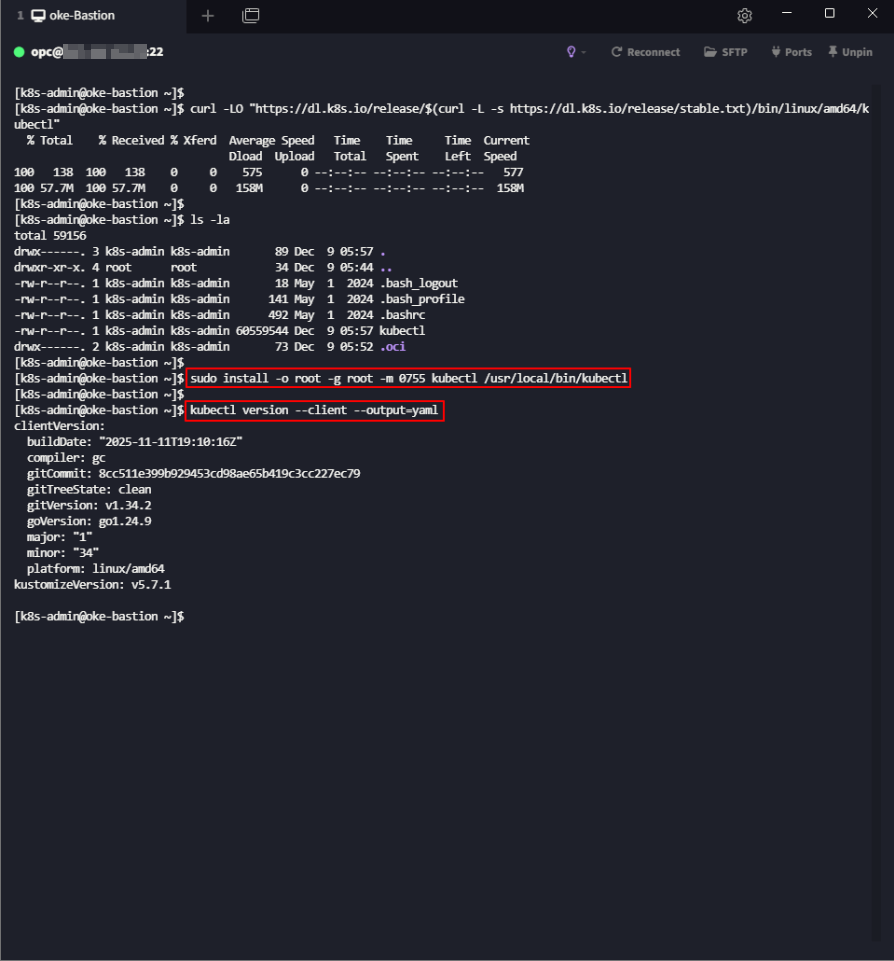
[k8s-admin@oke-bastion ~]$ sudo install -o root -g root -m 0755 kubectl /usr/local/bin/kubectl

## 설치된 kubectl 버전 확인
[k8s-admin@oke-bastion ~]$ kubectl version --client --output=yaml
4.3. kubeconfig 생성
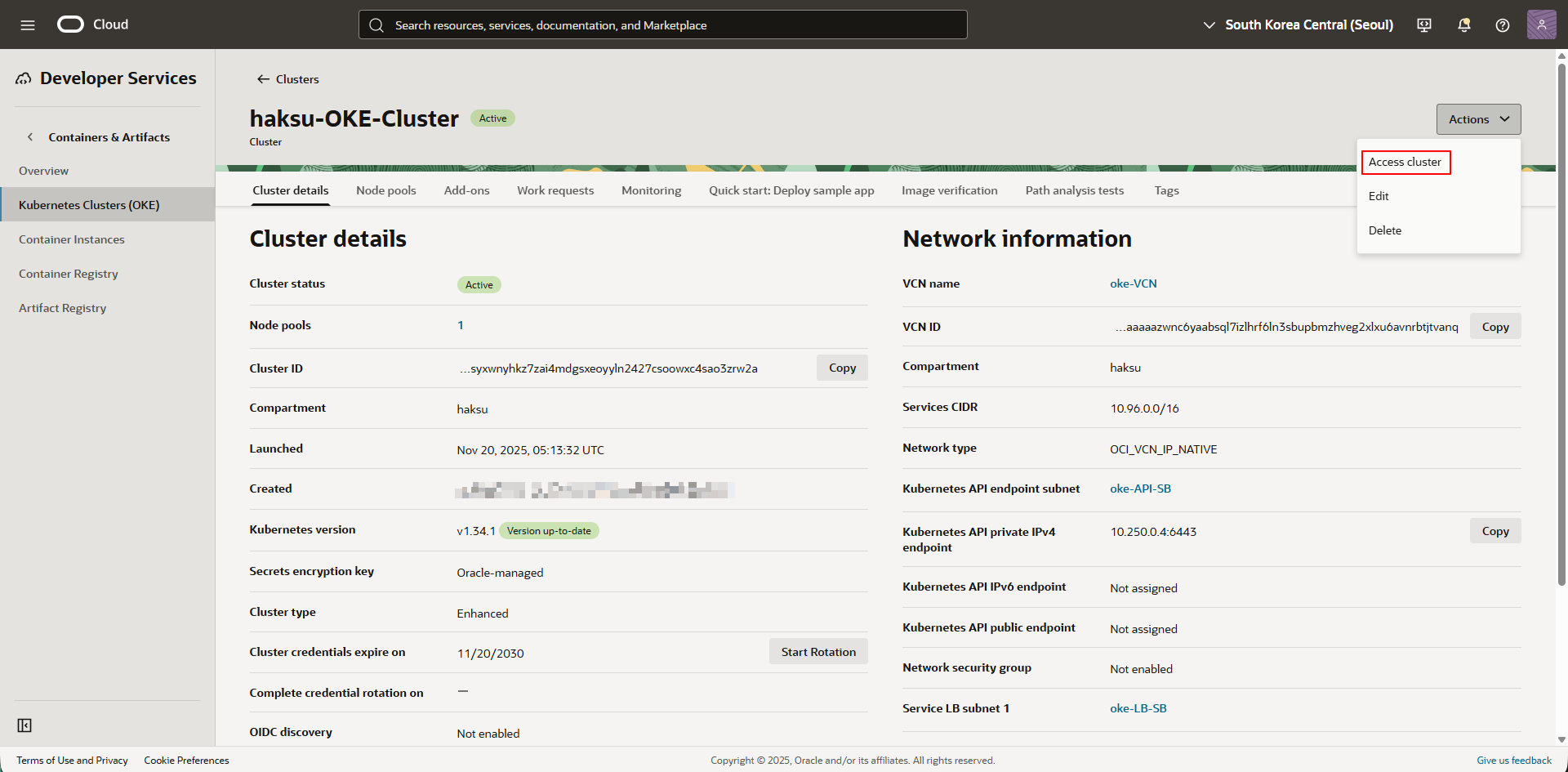
생성한 OKE Cluster → 우측 상단 Actions → Access Cluster 클릭
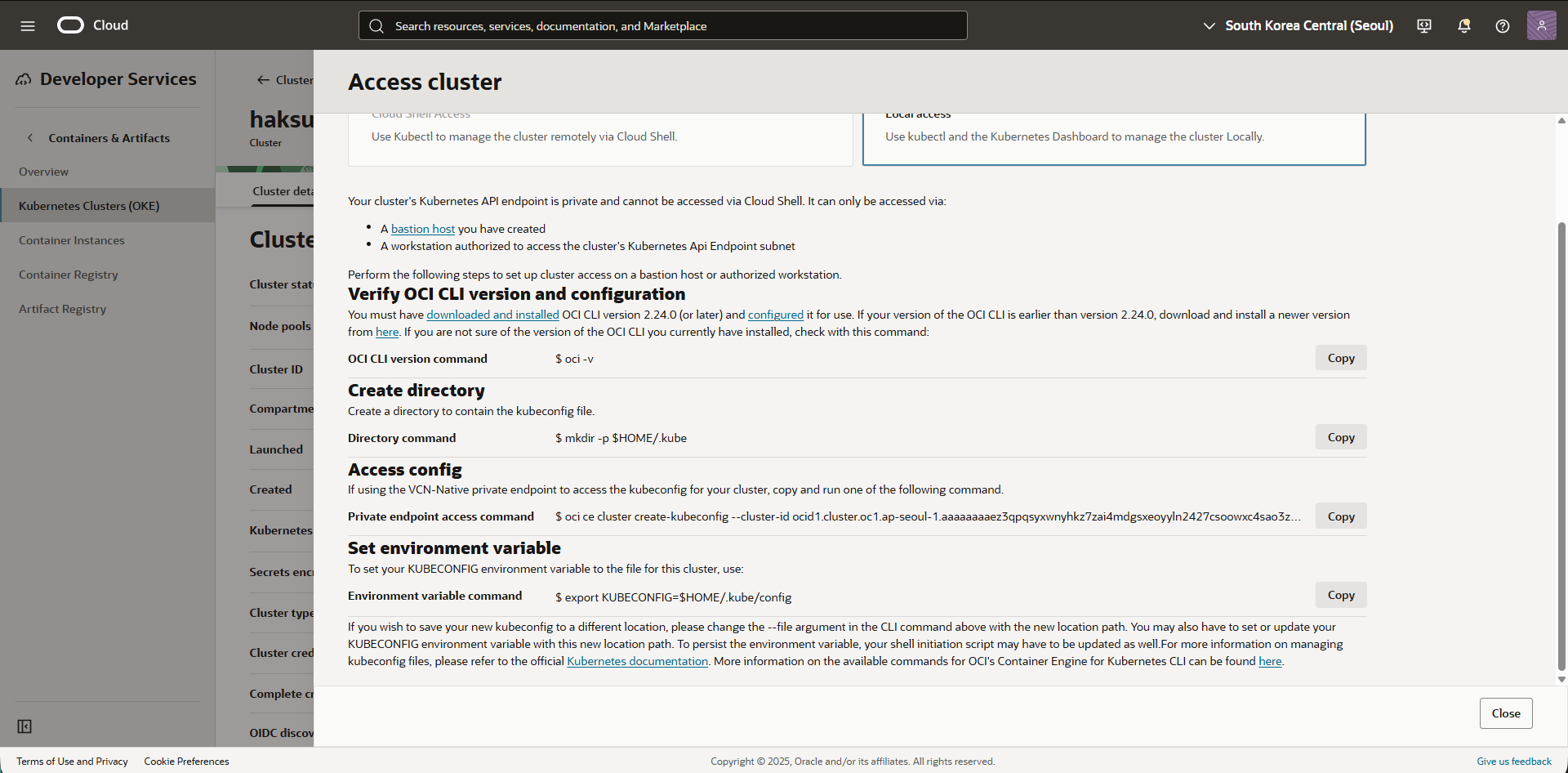
Local Access → 단계 별 수행
1
2
3
4
5
6
7
8
9
10
11
12
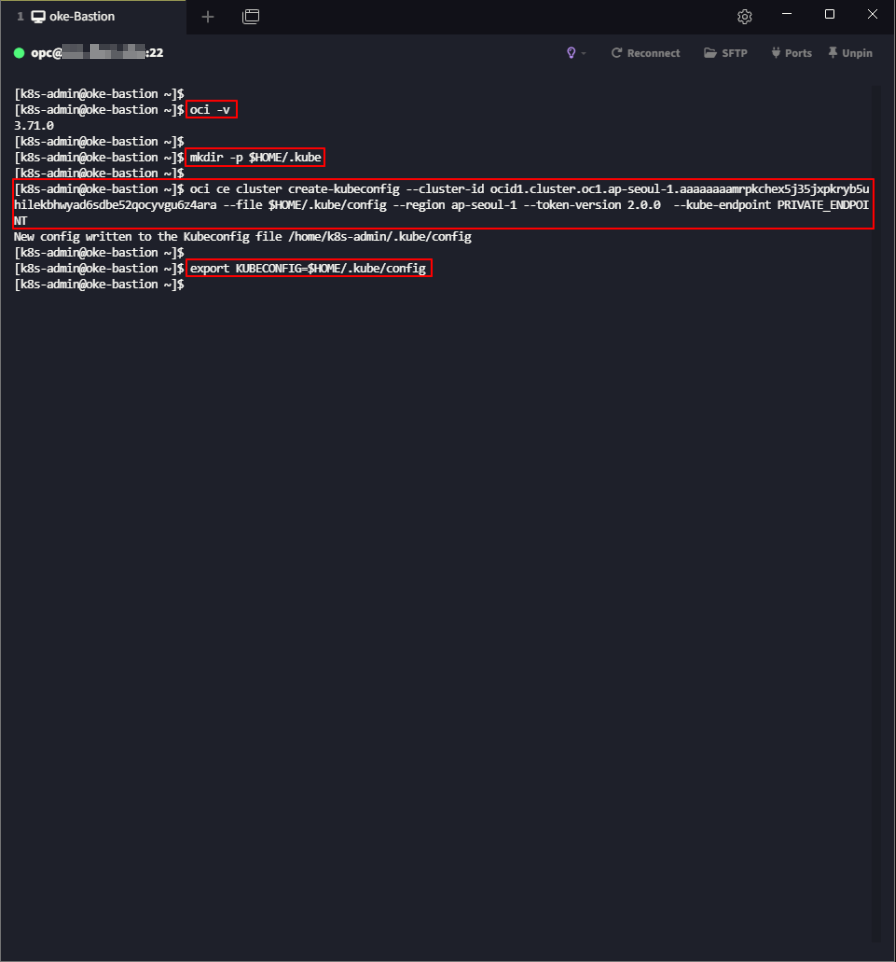
 ## OCI CLI 설치 확인
 [k8s-admin@oke-bastion ~]$ oci -v

 ## kubeconfig 파일이 포함되는 디렉터리 생성
 [k8s-admin@oke-bastion ~]$ mkdir -p $HOME/.kube

 ## kubeconfig 생성
 [k8s-admin@oke-bastion ~]$ oci ce cluster create-kubeconfig --cluster-id ocid1.cluster.oc1.ap-seoul-1.aaaaaaaaez3qpqsyxwnyhkz7zai4mdgsxeoyyln2427csoowxc4sao3zrw2a --file $HOME/.kube/config --region ap-seoul-1 --token-version 2.0.0  --kube-endpoint PRIVATE_ENDPOINT

 ## kubeconfig 경로 환경변수 지정
 ## (.bash_profile 등록 필요)
 [k8s-admin@oke-bastion ~]$ export KUBECONFIG=$HOME/.kube/config
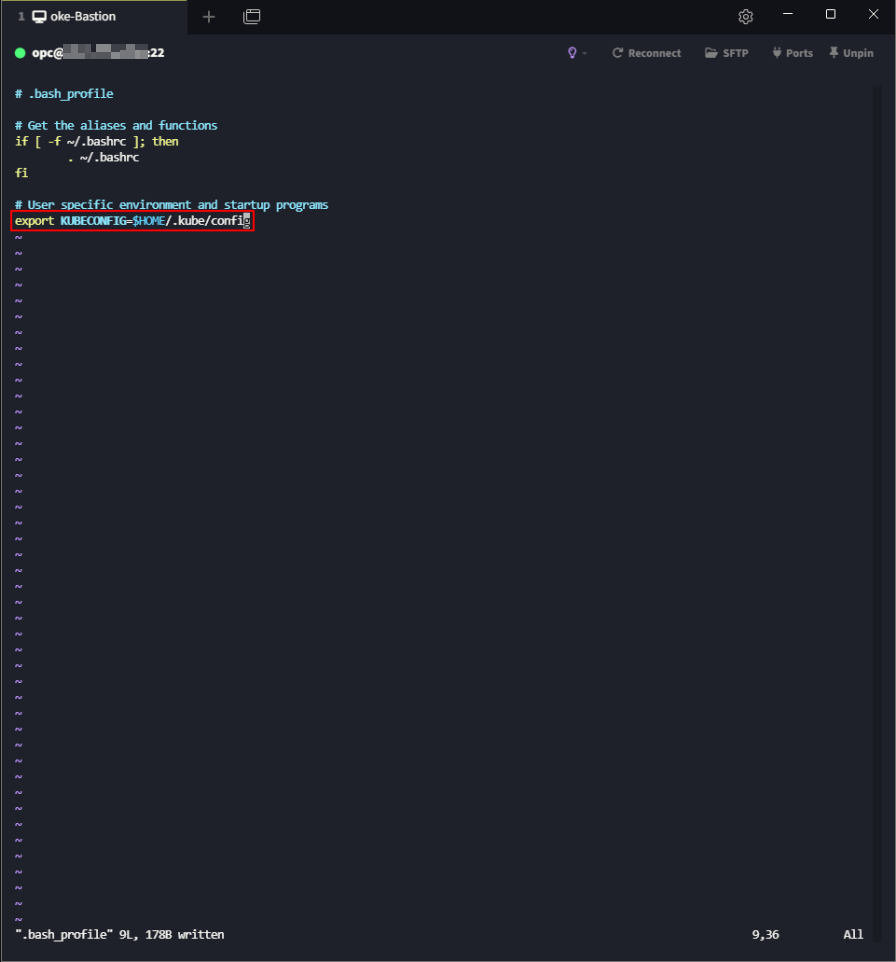
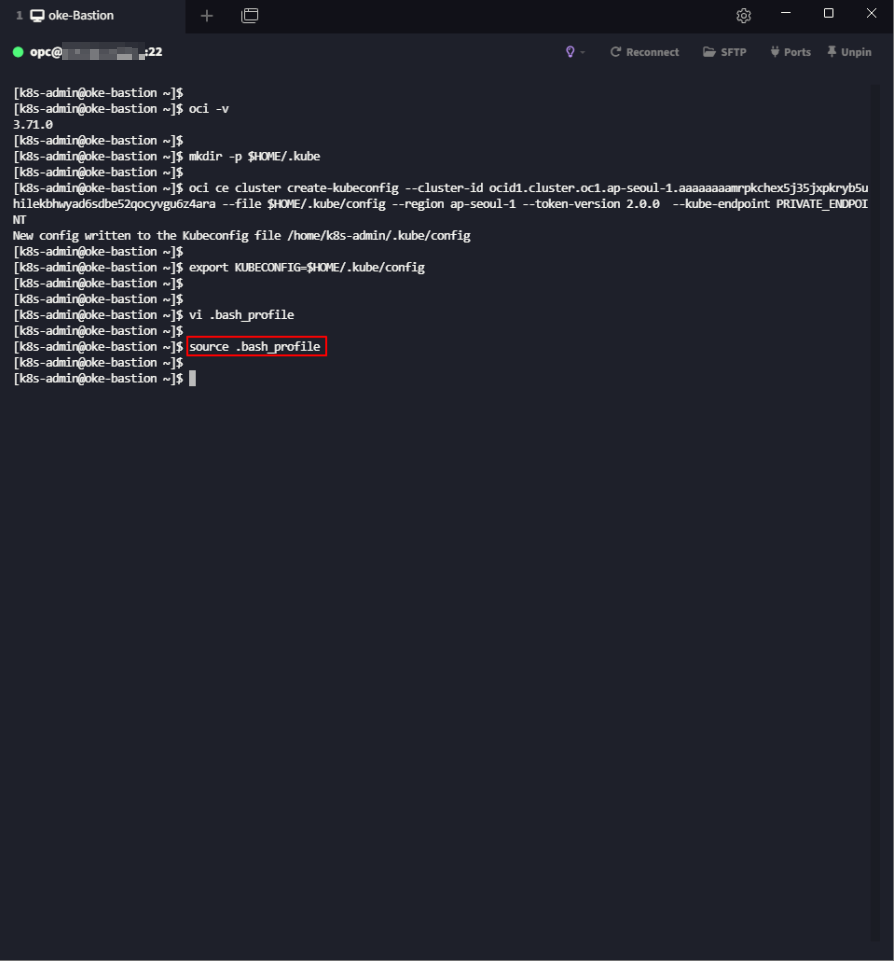
환경변수 영구 등록
- 사용자의 .bash_profile 파일에 등록 필요
4.4. kubeconfig 생성 확인
1
2
3
## 생성된 파일 확인
## (context 정보 확인 가능)
[k8s-admin@oke-bastion ~]# more $HOME/.kube/config
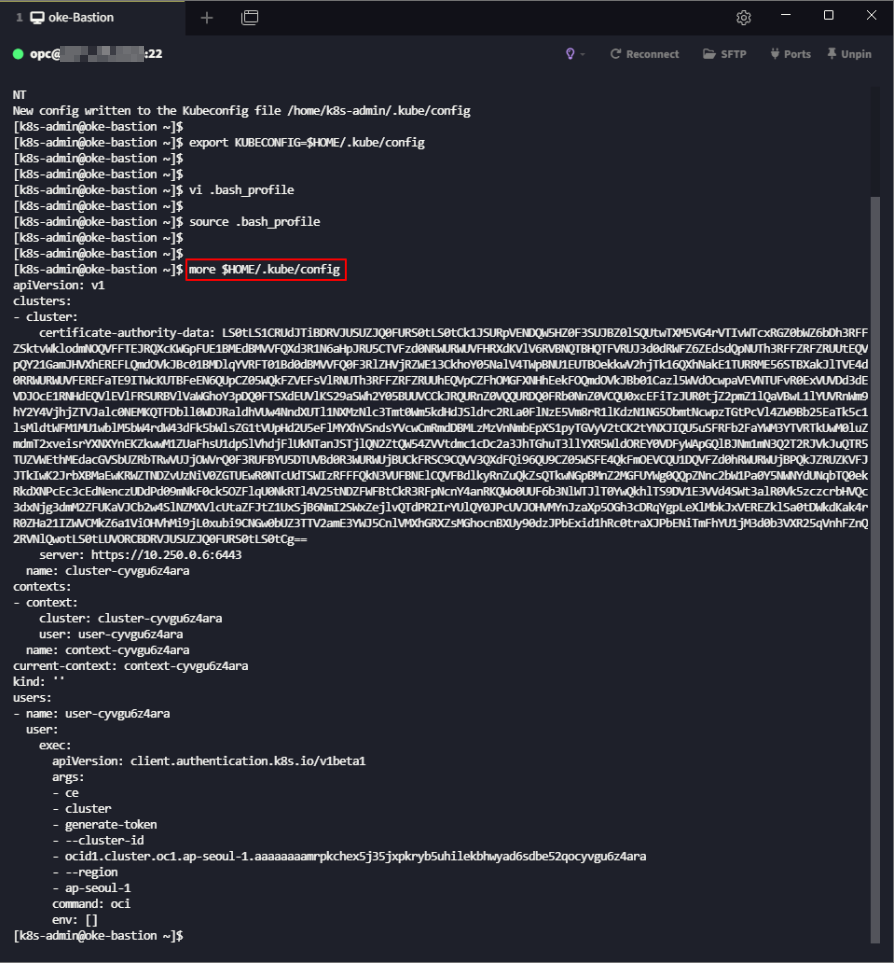
쿠버네티스 컨텍스트
- 쿠버네티스 클러스터에 대한 정보를 담고 있는 설정
- 여러 개의 클러스터를 하나의 파일에 저장하고, 다른 클러스터로 쉽게 전환 가능
- 클러스터, 사용자, 네임스페이스로 구성
5. 클러스터 조회
5.1. 클러스터 정보 조회
1
[k8s-admin@oke-bastion ~]$ kubectl cluster-info

5.2. Worker nodes 정보 조회
1
[k8s-admin@oke-bastion ~]# kubectl get nodes

This post is licensed under CC BY 4.0 by the author.